
The right website design for a small business is more than just a placeholder online—it’s your hardest-working employee. Think of it as a salesperson who works 24/7, never calls in sick, and perfectly pitches your services to every single person who drops by.
It’s not just a digital business card; it’s your most powerful tool for growth.
Your Website Is Your Best Salesperson
Would you hire a salesperson who was messy, slow, and hard to understand? Of course not. Yet, so many small businesses put up with exactly that from their websites. Just "having a website" isn't enough anymore. It’s like owning a shop with no sign out front—you exist, but nobody knows you’re there or what you do.
We need a mindset shift. Your website isn’t just another business expense; it’s a tireless team member dedicated to bringing in work. It operates around the clock, attracting potential clients, answering their first few questions, and convincing them you’re the right choice. A great website automates the top of your sales funnel, freeing you up to actually do the work.
First Impressions Are Digital
Long before a potential customer ever picks up the phone, they’re checking you out online. That first visit to your website is their first handshake with your brand, and it sets the tone for everything. And you don’t get much time to make that impression count—research shows people form an opinion in just 50 milliseconds.
A cluttered, slow, or dated-looking site is an instant red flag. It screams unprofessionalism. If you can’t get your own online shopfront in order, how can a customer trust you to handle their job with care?
On the flip side, a clean, modern, and easy-to-use website builds instant trust. It tells visitors you’re a professional who cares about quality, both online and on the job.
"Your website is the centre of your digital ecosystem, like a brick and mortar location, the experience matters once a customer enters, just as much as the perception they have of you before they walk through the door."
– Leland Dieno
From Passive Brochure to Active Lead Generator
The biggest mistake we see is businesses treating their website like an online brochure. It lists services, has a phone number, and that’s about it. It just sits there, passively waiting for something to happen. That’s a massive waste of potential.
A strategic website is built with one goal: to get people to take action. Every single element—from the heading at the top of the page to the colour of a button—is designed to guide a visitor towards getting in touch.
This means getting the fundamentals right:
- Clear Calls-to-Action (CTAs): Big, obvious buttons that say things like "Request a Free Quote" or "Call Us Today" leave no doubt about what to do next.
- Simple Contact Forms: Don't make people jump through hoops. A simple form makes it easy for them to reach out before they lose interest.
- Showcasing Social Proof: Nothing builds trust faster than seeing what other happy customers have to say. Testimonials and reviews are gold.
This proactive approach turns your website from a cost into a revenue-generating machine. It’s the cornerstone of a strong online footprint, which you can’t afford to ignore. Learn more about the crucial role of a digital presence for NZ businesses in our detailed guide.
Remember, a bad website doesn't just do nothing—it actively hurts your business by sending good customers straight to your competitors.
Building a Website That Actually Converts Visitors
It's time to move beyond the online brochure. So many small business websites are just digital versions of a flyer—they look nice, but they don't do anything. A website that actually brings in jobs is a different beast entirely. It's your digital storefront, your hardest-working salesperson, and your brand ambassador, all rolled into one.
This isn't about flashy designs or clever animations. It's about a smart, strategic setup where every single element has one job: to guide a casual visitor one step closer to becoming a paying customer.
Think about it like a physical shop. You wouldn’t just have a door and a cash register. You’d have clear signage, well-stocked aisles, and helpful staff ready to answer questions and build trust. Your website needs to do the same thing online.
This diagram breaks down the different roles your website plays. It’s not just a placeholder; it’s an active asset working 24/7 to grow your business.
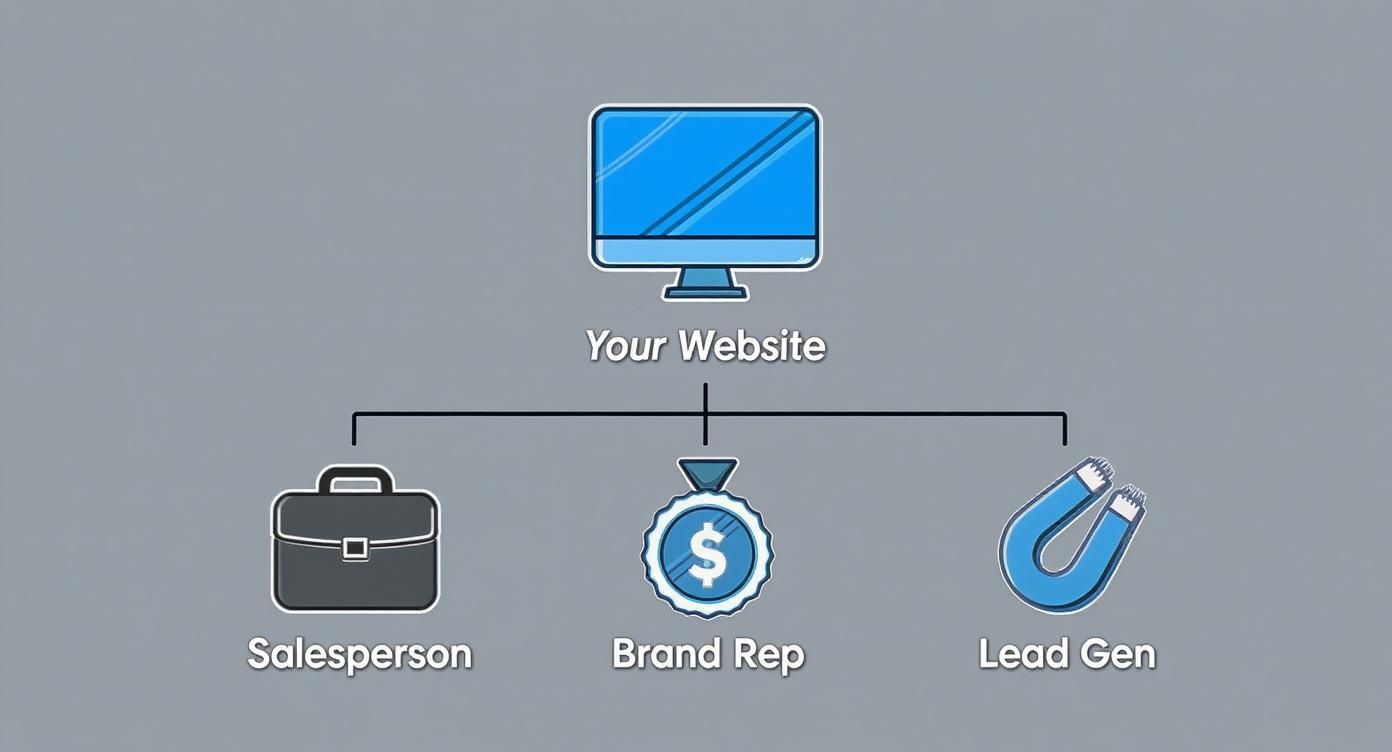
As you can see, a great website wears many hats. It's a multi-purpose tool that, when built correctly, becomes your most reliable source of leads.
Pages That Build Trust and Drive Action
For any service business, a handful of core pages do the heavy lifting. Each one has a specific job in moving a potential customer from "just looking" to "let's book this." They work together to tell a convincing story and make it easy for people to choose you.
To get this right, you need to think about the journey a customer takes on your site. The essential pages listed below create a clear, logical path that answers their questions and builds their confidence in your services.
Essential Pages for a High-Performing Service Website
| Page Type | Primary Goal | Key Elements to Include |
|---|---|---|
| Services Page | Clearly explain what you do and who you do it for, focusing on the customer's problem you solve. | Benefit-focused descriptions (not just a list of tasks), clear pricing or "how it works" info, and calls-to-action for specific services. |
| About Us Page | Build a human connection and show the real people behind the business to create trust. | Your story, your values, photos of the team, and what makes your business different from the competition. |
| Testimonials / Case Studies | Provide social proof that you deliver great results, letting happy customers sell for you. | Genuine customer reviews with names and photos (if possible), before-and-after pictures, or short stories detailing a successful project. |
These pages are the foundation of a website that works. They create a solid structure that guides visitors where you want them to go. For more on this, check out these essential digital branding tips for local service businesses.
The Functional Elements of Conversion
Once you have the right pages, you need the right tools on those pages to turn interest into action. These are the practical, functional bits that remove any friction and make it dead simple for a potential customer to get in touch.
First up, prominent calls-to-action (CTAs). These are your "Request a Quote," "Book Now," or "Call Us Today" buttons. They need to stand out, use punchy, action-focused words, and be placed right where someone is most likely to be convinced. Don't make them hunt for it.
Next, keep your contact forms brutally simple. Seriously. A long, complicated form is a lead-killer. All you really need to start a conversation is a name, email, phone number, and a box for their message. Every extra field you add is another reason for them to give up and go to your competitor's site.
A great website makes it easier for a customer to contact you than it is for them to click the 'back' button and find your competitor.
Finally, you need professional imagery. Grainy smartphone pics or cheesy stock photos scream amateur. Invest in good, high-quality photos of your team on the job, your equipment, and your finished work. It instantly shows you’re a professional who cares about quality and helps customers visualise the great result you're going to deliver for them.
Ultimately, turning visitors into leads is a science. Understanding these proven tips to improve website conversion rates is key to building a site that actually fills your calendar.
Why Mobile Performance Is Non-Negotiable
Think about the last time you needed a plumber, found a new cafe, or looked up a local builder. Where did you search? On your phone, right? Your customers are doing the exact same thing, making mobile performance a critical piece of any decent website design for a small business.
If your website is clunky, slow, or a pain to use on a mobile, it's not just a small inconvenience—you're actively handing business to your competitors. Today's customers have zero patience for a bad mobile experience. They'll just hit the 'back' button and call the next person on the list. It’s a harsh reality, but one you can't afford to ignore.
This isn't just a hunch; the numbers don't lie. Here in the UK, a huge percentage of website traffic to consumer-facing businesses comes from mobile devices. This stat alone makes mobile optimisation a make-or-break factor. Websites that fail this test are pretty much invisible in search rankings and end up alienating the vast majority of their potential customers. You can check out more NZ digital marketing statistics to see the full picture.
The Mobile-First Design Philosophy
So, how do you make sure your site works perfectly on a small screen? The answer is a strategy called mobile-first design.
The old way was to design a website for a big desktop monitor and then try to awkwardly shrink it down to fit a phone. This usually ended with tiny text you couldn't read, buttons impossible to tap, and a whole lot of user frustration. Mobile-first flips that entire process on its head.
It means designing the website for the smallest screen—the mobile phone—first. By starting with the tightest constraints, you're forced to focus only on what truly matters:
- Essential content: What information does a user absolutely need right now?
- Simple navigation: How can they find what they want with just a couple of taps?
- Clear calls-to-action: How do we make it dead simple for them to call or email you?
Once the mobile version is perfected, the design is then expanded for larger screens like tablets and desktops. This approach doesn't just lead to a better mobile site; it creates a more focused, streamlined, and effective experience on every single device.
Speed Is a Signal of Trust
Beyond just looks, your website's speed is a huge factor in whether a customer trusts you. A slow-loading site isn't just annoying; it sends a very clear, very negative message about your business.
Think of it this way: if a potential client has to wait more than a few seconds for your page to load, their subconscious is already thinking, "If they can't even get their own website right, how can I trust them to do a good job on my project?" A fast, snappy site signals professionalism, reliability, and respect for your customer's time.
A slow website is the digital equivalent of a messy, disorganised shop. It instantly creates a bad impression and makes potential customers question the quality of your services before they’ve even had a chance to see them.
Key Factors for Top Mobile Performance
Getting mobile performance right involves more than just a layout that adjusts to the screen size. There are a few key technical elements working behind the scenes to make sure your site is fast and user-friendly.
Here are the big ones:
- Image Optimisation: Large, uncompressed images are the #1 killer of website speed. Every photo on your site should be properly sized and compressed for the web so it loads quickly without looking pixelated.
- Quality Web Hosting: Think of your website's hosting as its digital landlord. Cheap, poor-quality hosting means you're sharing resources with thousands of other sites, which almost always leads to slow performance. Investing in reliable hosting is fundamental for speed.
- Clean Code and Design: A bloated website packed with unnecessary code, plugins, or heavy design features will always be slow. A clean, efficient build ensures the browser can load your pages without getting bogged down.
Checking your site's performance is easy. Tools like Google's PageSpeed Insights can analyse your website and give you a detailed report on its mobile and desktop speed, along with solid suggestions for improvement. Any great website design for a small business should prioritise these technical details right from the start.
How Local Customers Find You Online With SEO
Let's be honest, a brilliant website is just an expensive online brochure if your local customers can’t find it. This is where Local Search Engine Optimisation (SEO) comes in. We’re going to break down how a properly optimised website gets you in front of the people who matter most—the ones right in your community.
The whole point of SEO is to improve your website's overall visibility so that when a potential customer needs your service, you're the first business they see.
Think of Local SEO like giving Google crystal-clear directions to your front door. It’s the difference between being a needle in a haystack and the first result that pops up when someone searches "plumber near me."
Your Most Powerful Free Marketing Tool
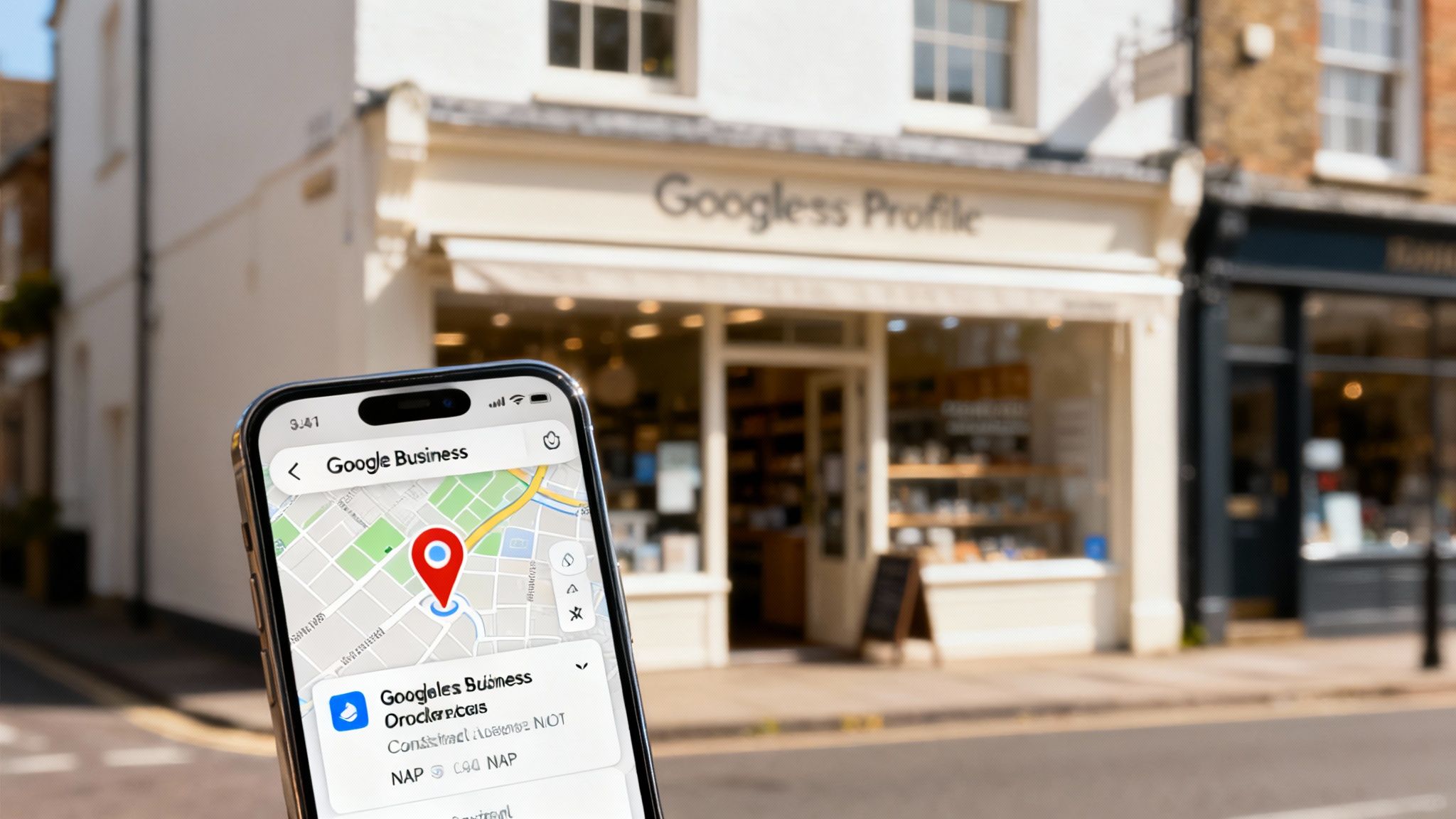
Your Google Business Profile (GBP) is, without a doubt, your most valuable free marketing tool. It's that info box that shows up on Google Maps and on the right side of the search results, showing off your business name, address, phone number, hours, and those all-important reviews.
Getting your GBP dialled in is the first and most critical step to getting found locally. A complete, active profile doesn't just put you on the map—literally—it builds instant trust with customers who can see your ratings and location at a glance.
Your website and GBP need to work together as a team. The GBP hooks them with the essentials, and your website reels them in with the detailed answers and proof that gets them to pick up the phone. Any good website design for a small UK business should have its GBP integrated from day one.
Speaking the Language of Local Search
When a homeowner in Manchester needs a sparky, they don’t just type “electrician” into Google. They search for "electrician in Manchester" or "emergency electrician in Didsbury." These are location-specific keywords, and they're the bread and butter of on-page local SEO.
Your website content needs to be peppered with these phrases naturally. This is how you signal to Google exactly where you work and what you do, making it a no-brainer for it to show your site to the right local searchers.
Your website must answer the two most important questions a local customer has: "What do you do?" and "Where do you do it?" Local SEO ensures Google gets those answers loud and clear.
Don’t just stop at the homepage. Creating dedicated pages for the specific towns, suburbs, or neighbourhoods you service is a game-changing move. For example, a page titled "Roof Repair in Leeds" will always beat a generic "Services" page for that exact search query.
Why Consistency Is Everything
One of the most crucial—and most commonly botched—parts of local SEO is keeping your business info consistent everywhere online. This is your NAP (Name, Address, Phone number).
Your NAP has to be identical across your website, your Google Business Profile, and other online directories. Even tiny differences, like using "Ltd." in one place and "Limited" in another, can confuse search engines and tank your local rankings.
Think of it this way: if you give out three different addresses for a party, your guests will get lost, confused, and probably just go home. Google works the same way. It trusts businesses that provide clear, consistent information because it signals that you're a legitimate, reliable operation. This simple act of consistency is one of the foundational pillars covered in many essential local SEO strategies for small businesses.
This isn’t about becoming an SEO guru overnight. It’s about nailing the fundamentals that get your business seen by the right people, in the right place, at the exact moment they need you.
So, How Much Does a Website Actually Cost in the UK?
Let’s get straight to it. This is the biggest question every business owner asks, and the honest answer is: it depends. The price for a professional website design for a small business can swing from a few hundred quid to tens of thousands.
The key is to understand what you’re paying for. A website isn't just an online brochure you tick off a list; it’s a machine designed to bring you customers. Think of it less like an expense and more like hiring your most effective salesperson—one that works 24/7.
Framing it as an investment is crucial. The return you get from smart digital tools is massive. Research shows that for every pound a small business spends, they see a return of £1.90 to £2.50. That’s a real, measurable benefit of getting your online presence right. A great website opens up your market, improves customer engagement, and directly drives enquiries. You can dive into the full report on how digitalisation boosts small business productivity.
Breaking Down Your Main Options
The cost of your website really comes down to who builds it and how they build it. This choice doesn’t just affect the upfront price tag; it determines the long-term results you’ll get. Generally speaking, you’ve got three paths you can go down.
Here are the most common routes:
- DIY Website Builders: This is your cheapest entry point. Platforms like Squarespace, Wix, and Shopify offer drag-and-drop templates for a low monthly fee. The catch? You have to do everything yourself—the design, the writing, the setup, and all the SEO.
- Freelance Web Designers: Hiring a freelancer is often the middle ground. You get a custom design and professional expertise without the overheads of a full agency. It’s a popular choice for small businesses wanting a professional touch on a tighter budget.
- Full-Service Agencies: Partnering with an agency like us is the all-in-one solution. You get a dedicated team that handles everything from strategy and design to development, content, and SEO. It’s a complete system, not just a website.
What Actually Influences the Final Price?
No matter which path you choose, a few key things will dictate the final cost. It makes sense, right? A simple five-page website is going to be a lot cheaper than a complex site with custom features.
The final quote is shaped by:
- Number of Pages: More pages mean more work. A basic site might have 5-10 pages, but a service business targeting multiple suburbs could easily need 20+ dedicated location and service pages to rank properly.
- Custom Design vs. Template: A pre-made template is the quick and cheap option. A fully custom design, built from the ground up to match your brand and convert visitors, takes a lot more time and skill, which is reflected in the price.
- Special Features: Need an online booking system? A client portal? E-commerce to sell products? Every custom feature adds another layer of complexity and cost to the project.
- Content Creation: Are you supplying all the text and photos? If you need your designer or agency to write persuasive, SEO-friendly copy for you, that will be factored into the project cost.
- Ongoing Support and Maintenance: A website is like a car; it needs regular tune-ups. Most professionals offer monthly maintenance plans to handle security, updates, and backups, which is a small but vital ongoing cost.
Your website budget should be seen as an investment in your most powerful marketing asset. The cheapest option is rarely the one that delivers the best return.
Once you understand these variables, you can have a much more productive chat with potential web designers. You’ll be able to explain exactly what you need, get a realistic quote, and budget for a website that actually works for you instead of just sitting there looking pretty.
Choosing Your Path: DIY vs Hiring a Professional
Sooner or later, every business owner hits this fork in the road: do I build the website myself, or do I hire someone who knows what they’re doing? It’s one of the most important decisions you'll make in any website design for small business project, and there’s no single right answer. It all comes down to what you have more of right now—time or money.
Let's unpack both options so you can see the real trade-offs and make a call that you feel good about.
The Do-It-Yourself Route
These days, DIY website builders like Squarespace and Wix are everywhere. They promise a slick-looking website for a low monthly fee, putting you in the driver's seat. For a business just starting out with a tight budget, it can feel like a no-brainer.
But here’s the catch: that "low cost" is a bit of an illusion. The real price you pay is in your own time, which is the one thing you can't get more of as a business owner. Building the site, writing every word, resizing all your photos, and trying to get your head around the basics of SEO can easily chew up 40-80 hours. That’s a week or two of your life you aren't spending on quoting jobs or actually running your business.
The main trade-offs of going it alone are:
- The Time Sink: The learning curve is brutal. You’re not just a designer anymore; you're suddenly a copywriter, photographer, and junior SEO specialist all at once.
- Cookie-Cutter Designs: Templates are great until you want to do something slightly different. You risk ending up with a site that looks just like your competitors—or worse, one that doesn't properly represent your brand.
- The Things You Don't Know: Critical stuff like making your site load instantly on a phone, setting up technical SEO correctly, and designing pages that actually persuade people to call you often get missed. The result? A site that looks okay but doesn't bring in a single lead.
Hiring a Professional Agency
Bringing in a professional web designer or a specialist agency is a real investment, but it’s an investment that should pay you back. You're not just buying a website; you're buying their experience, a proven strategy, and, most importantly, results. Their entire job is to build a tool that’s engineered to find new customers and convince them to hire you.
The biggest win is having a team of experts sweating the small stuff for you. They’ll handle everything from making sure your site is lightning-fast on mobile to implementing local SEO that gets you showing up in Google searches. They understand how people use websites and design every button, form, and headline with one goal in mind: getting that visitor to take the next step.
A DIY website saves you money. A professionally built website makes you money. The right choice depends on which of those is your current priority.
Making the Right Choice for Your Business
So, how do you actually decide? It boils down to being honest about where your business is at right now. Ask yourself these three simple questions:
- Budget: Do I have the cash to invest in a professional website that will generate a return, or is the lowest possible monthly cost my top priority?
- Time: Can I realistically block out several weeks to learn, build, and write everything myself without my business suffering?
- Goals: Do I just need an online brochure to prove I exist, or do I need a powerful tool that actively brings in new leads and grows my bottom line?
Answering those questions will make the path forward pretty clear. If you’re short on time and serious about growth, hiring a professional isn't just an expense—it's one of the smartest investments you can make.
Your Website Questions Answered
Getting your first professional website built can feel like a big step, and it’s natural to have a few questions. We hear these all the time from business owners, so we’ve answered the most common ones to give you a bit more clarity.
How Long Does a Website Build Actually Take?
This really depends on what you're building. A basic, template-based site might only take 2–4 weeks to get live. But for a proper, conversion-focused website with custom design and all the pages needed to rank well on Google, you’re looking at a 6–12 week timeline. That process covers everything from the initial strategy and design concepts to development, writing the content, and making sure every little detail is perfect before it goes live.
Do I Really Need to Bother with Ongoing Maintenance?
Yes, 100%. Think of your website like your work vehicle—if you don't service it, it’s going to break down. Website maintenance is your site’s MOT; it handles critical software updates, security scans to keep hackers out, and regular backups. It’s absolutely essential for security, speed, and keeping everything working smoothly. Without it, your site quickly becomes slow, vulnerable, and a liability instead of an asset.
Can I Update the Website Myself After It’s Built?
Of course. We build all our sites on WordPress, which is a Content Management System (CMS) designed for easy updates. A good web designer won’t just hand over the keys and disappear; they’ll give you the training you need to handle the basics yourself. This means you can easily change text, add new photos to your gallery, or publish a blog post without having to pay a developer for five minutes of their time.
Ready for a website that actually brings in jobs? The First Page, First Call system from Four Stripes is built to do just that. We combine a high-converting website with powerful local SEO to make your phone ring. Find out how we can help your business grow.