
For a Kiwi small business, a website isn't just an online brochure; it's your hardest-working employee. It should be a strategic tool that turns local visitors into paying customers. This means planning is everything—getting the goals, audience, features, and navigation right from the start is the only way to get a site that delivers real, measurable results in a crowded market.
Laying the Groundwork for Your NZ Business Website
Before you even think about colours or fonts, the success of your website is decided. It happens in the planning phase.
Jumping straight into design without a clear strategy is like building a house without a blueprint. Sure, you might end up with four walls and a roof, but it won't be functional, safe, or last very long. For a local NZ business, this planning stage is hands-down the most important part of the entire web design process.
It all boils down to asking the right questions. What’s the main job of this website? Who are we actually talking to? What do we want them to do? Answering these honestly is the difference between a pretty but useless website and a powerful business tool that works around the clock.
Defining Your Website's Core Purpose
First things first: your website needs a job. Is it meant to be a lead-generating machine, an online shop, a portfolio to show off your work, or an information hub to establish you as the local expert? Nailing this down dictates every other decision you'll make, from your homepage layout to the words on your "contact us" button.
Think about it. A plumber in Auckland needs a website built for speed and action. Their main goal is getting that emergency call, so their phone number needs to be front and centre, big and clickable on a mobile. On the other hand, a boutique clothing store in Queenstown needs an e-commerce site that makes browsing and buying feel effortless. Their goal is sales, so high-quality photos and a dead-simple checkout are non-negotiable.
A website without a clear goal is just an online expense. A website with a defined purpose is a business asset that works for you 24/7, generating leads and sales while you focus on running your business.
Having one clear objective also cuts through the noise. It helps you prioritise what's truly important and avoid cluttering your site with flashy extras that just distract visitors and slow things down.
Understanding Your Kiwi Audience
Once you know what your site needs to do, you have to figure out who you're doing it for. Getting inside the heads of your local customers is absolutely critical. What problem are they trying to solve when they find you? What’s the one piece of information they need right now? What drives them crazy about your competitors' websites?
A great way to do this is by creating simple "customer personas." Imagine:
- "Tradie Tom": A busy homeowner in Christchurch who needs a reliable sparky, fast. He’s on his phone, doesn't have time to waste, and is looking for a phone number, proof you’re qualified, and good reviews.
- "Professional Pam": A small business owner in Wellington searching for a corporate photographer. She’s after a slick portfolio, detailed service info, and a straightforward way to book a session.
Understanding these people helps you build a site that makes sense to them. The information is where they expect it to be, and they can find what they need without getting frustrated. This is more important than ever. Over 90% of Kiwi consumers now research online before they buy, which shows why a user-focused website is no longer a nice-to-have. You can dig deeper into this in the NZ Digital Report 2024 to see why professional small business web design in NZ is essential for staying in the game.
Structuring Content and Navigation
With your goals and audience sorted, it's time to map out the website itself. This is your blueprint. You’ll plan your key pages—like Home, About, Services, and Contact—and arrange them in a way that feels natural and intuitive to a first-time visitor.
A logical sitemap doesn't just help your human visitors; it's also crucial for search engines like Google to understand what your site is about. Getting this structure right lays the foundation for your SEO and content strategy down the line. If you're not sure where to start, our guide on the content creation process for a local business is a great resource for mapping out your core messages.
Decoding Web Design Costs and Timelines in New Zealand
For any Kiwi small business, the chat about a new website always comes down to two big questions: "how much will it cost?" and "how long will it take?" The answers aren't as simple as you'd think, because a website isn't an off-the-shelf product. The real cost and timeline depend entirely on what you want it to do for your business.
Think of it like building a house. A basic one-bedroom bach has a very different price tag and build time compared to a custom architectural home. It’s the same with websites—a simple online brochure for a local plumber is a world away from a complex e-commerce store selling hundreds of products nationwide.
Getting a clear picture of the variables from the start helps you set a realistic budget and avoids nasty surprises later on. It’s about making a smart investment that delivers real results without breaking the bank.
Breaking Down the Investment
Cost is always a huge factor, and you need to know what you’re in for. For a standard small business website in New Zealand (think 5-10 pages), you should budget somewhere between NZD 3,000 and NZD 8,000 in 2025. This covers everything from a solid template-based site to a more customised build from an agency.
Of course, that’s just a ballpark. A simple one-page site could start from NZD 1,000, while an e-commerce store with all the bells and whistles can easily climb from NZD 5,000 to over NZD 20,000. If you want a deeper dive, check out our full guide on the costs of NZ web design.
What pushes the price up or down? It usually boils down to three things:
- Design Complexity: A custom design built from scratch takes a lot more time and expertise than modifying a pre-made template, so it naturally costs more.
- Number of Pages: It’s simple maths. More pages mean more design, writing, and development work, which all adds to the final invoice.
- Special Features: Need an online booking system, a payment gateway for credit cards, or a members-only area? Each piece of custom functionality adds to the complexity and the cost.
To give you a clearer idea, here's a breakdown of what you can expect to invest for different types of websites.
Typical Web Design Investment for NZ Small Businesses
A breakdown of estimated costs for different types of small business websites in New Zealand, helping you budget effectively.
| Website Type | Typical Page Count | Estimated Cost (NZD) | Key Features |
|---|---|---|---|
| Brochure / Starter Site | 1-5 pages | $1,500 – $4,000 | Professional design, mobile-responsive, basic SEO setup, contact form. |
| Standard Small Business Site | 5-10 pages | $3,000 – $8,000 | All starter features, plus service pages, blog/news section, Google Maps. |
| Advanced Business Site | 10-20+ pages | $8,000 – $15,000 | Custom design, advanced SEO, booking systems, multiple service locations. |
| Small E-commerce Store | 10-50 products | $5,000 – $20,000+ | Secure payment gateway, product pages, inventory management, shipping setup. |
It's important to remember that the initial build is just the beginning. Your website isn't a "set and forget" purchase.
Ongoing Costs to Keep in Mind
Once your site is live, there are a few running costs you need to budget for to keep it secure, fast, and actually working for you.
Think of these as your website's rego and WOF. They typically include:
- Web Hosting: This is like the rent for your website's spot on the internet.
- Domain Name Renewal: Your
.co.nzaddress needs to be renewed each year. - Security Certificates (SSL): This keeps your site and your customers' data safe, and it's non-negotiable these days.
- Maintenance and Updates: Software needs regular updates to stay secure and perform well.
Neglecting ongoing maintenance is like skipping oil changes on your ute. It might save a few bucks now, but it’ll almost certainly lead to a much bigger, more expensive breakdown down the road.
What’s a Realistic Timeline?
Just like costs, timelines can vary a lot. A straightforward, no-fuss website can often be planned, built, and launched within 3-4 weeks. That's our sweet spot.
But if you're after something more complex with custom features or a ton of content, you could be looking at a few months from start to finish. The key to keeping things on track is having a clear plan and providing quick feedback to your designer.
The chart below shows just how critical a good website is. The vast majority of Kiwis are checking you out online before they even think about picking up the phone.
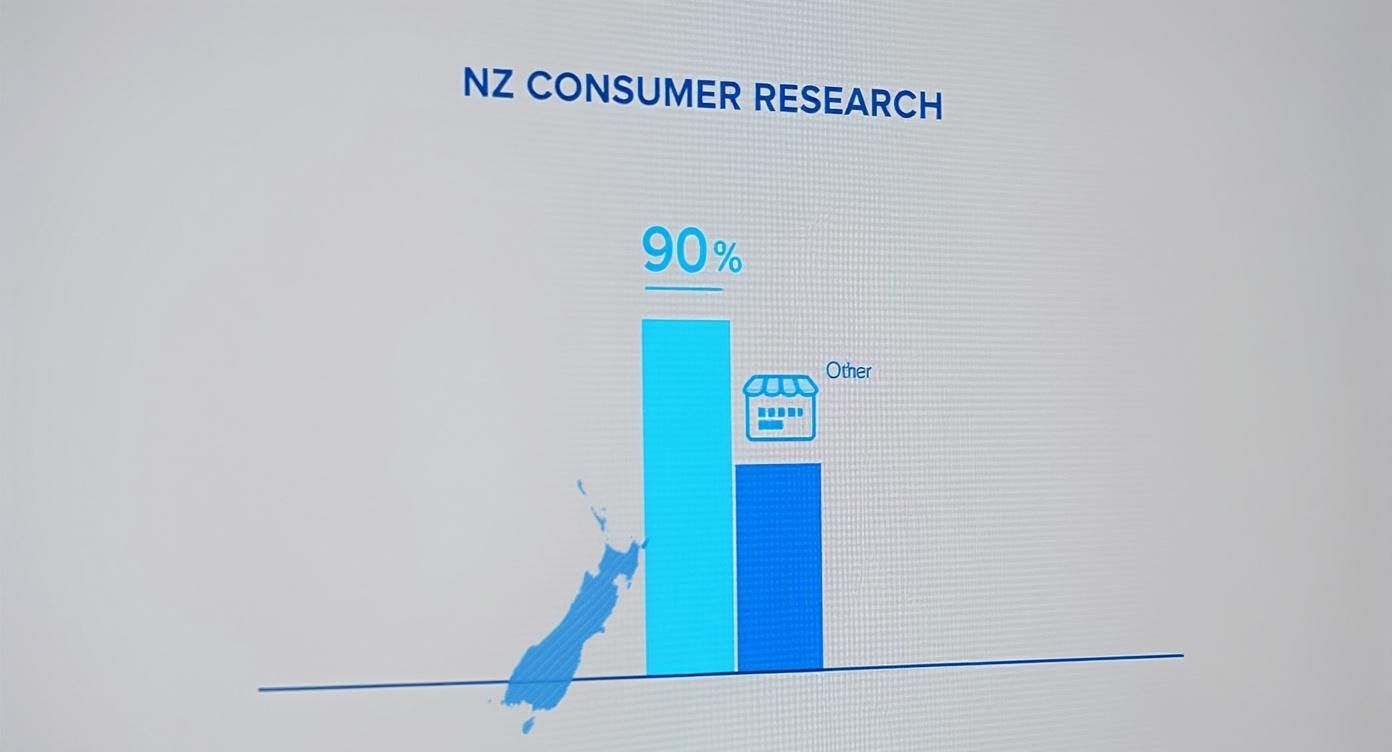
With 90% of consumers doing their homework online, your website is your single most important storefront. It's the first—and often only—chance you get to make an impression. That’s why investing the right time and money into your small business web design in NZ isn’t an expense; it’s one of the smartest business decisions you can make.
Choosing Your Website Platform and Hosting Provider
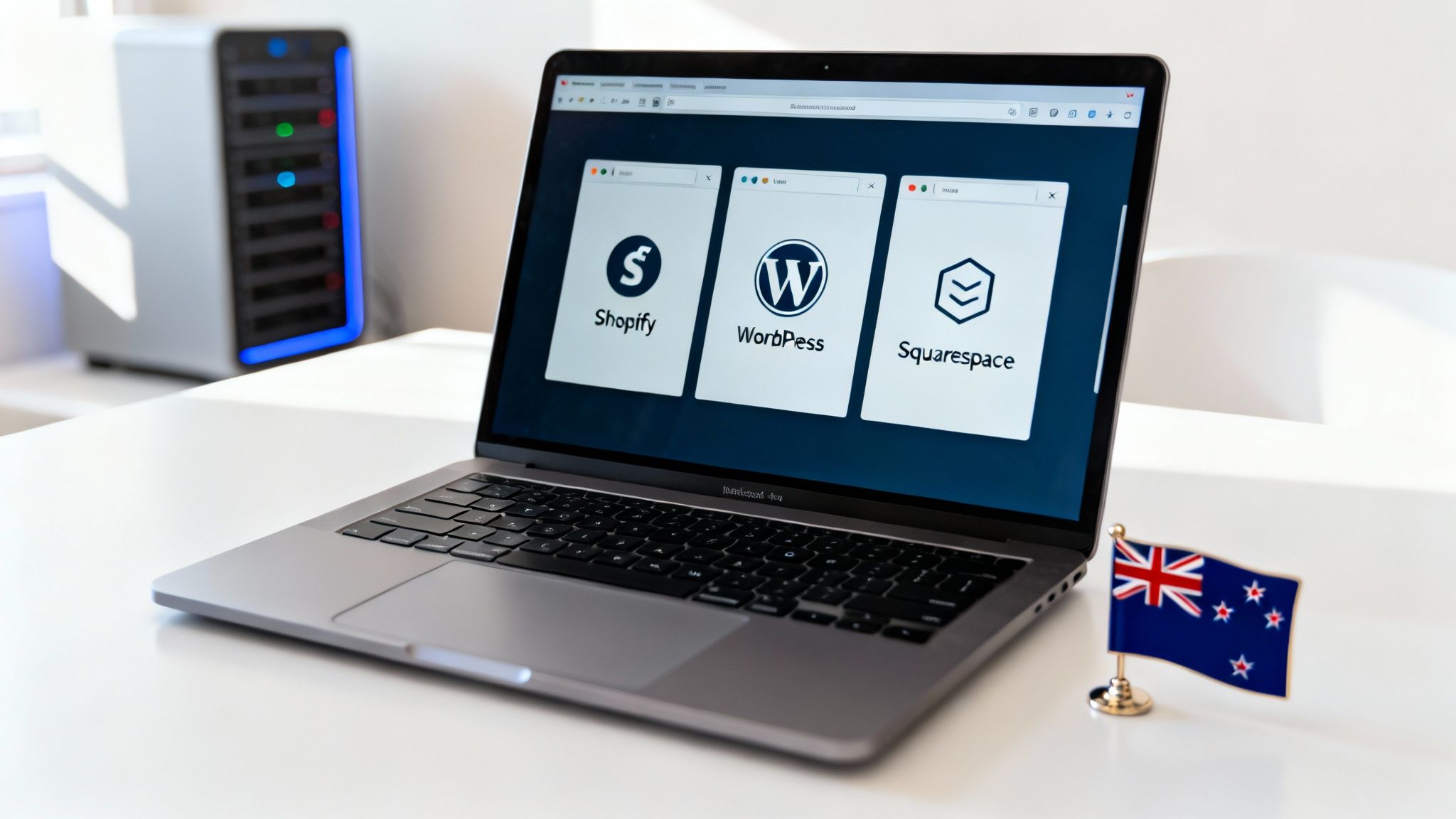
Think of your website like a high-performance vehicle. The design is the slick paint job, but the platform and hosting are the engine and chassis. These technical choices dictate how fast your site loads, how secure it is, and how easily you can make changes down the road. Get this wrong, and you're stuck with a lemon.
For a Kiwi business, this isn’t about picking whatever's trendy. It's about finding the right tool for your specific job. Your Content Management System (CMS) is the backbone that holds everything together, and your hosting is the foundation it’s built on. Nailing these two from the get-go is critical.
These decisions directly impact how customers experience your site and, just as importantly, how Google ranks it. They are a fundamental part of any effective small business web design in NZ.
Picking the Right Content Management System
Your CMS is the software that lets you update your website—add photos, publish a blog post, change your phone number—without needing to call a developer. There are three main players in the market, and each one is built for a different kind of business.
Let’s break down the big three for NZ small businesses:
-
WordPress: This is the undisputed king of flexibility. Powering over 43% of all websites on the internet, its open-source nature means you can build almost anything you can dream up. It's our platform of choice and is perfect for service businesses, tradies, and professionals who need a site that can grow—from a simple online brochure to a complex site with online booking. The massive library of plugins means you can customise it to do pretty much anything.
-
Shopify: If you sell physical products, stop reading and just go with Shopify. It's a beast. It’s an all-in-one e-commerce machine built from the ground up to handle inventory, payments, and shipping without any fuss. While it makes selling online incredibly simple, that sharp focus means it’s less flexible if your business is service-based or relies heavily on content.
-
Squarespace: Known for its gorgeous templates and a drag-and-drop editor that's incredibly easy to use, Squarespace is a fantastic choice for businesses where looks are everything. Think photographers, designers, or consultants. It's a brilliant "all-in-one" option for building a beautiful portfolio or brochure site fast, but you sacrifice a lot of technical control and scalability compared to WordPress.
For those who are more design-savvy and want to blend design and development, tools like the one on Framer's official website are also emerging, offering another way to think about building a modern website.
Your CMS choice should come down to one thing: your main business goal. Selling products? Shopify. Need total control and scalability for a service business? WordPress is your answer. Just need a simple, visually stunning site? Squarespace is a solid bet.
Why Quality NZ Web Hosting Matters
Once you’ve picked your platform, you need a place for it to "live" online. That's your web hosting. And it's so much more than just digital real estate. A good hosting provider is what keeps your site fast, secure, and online for your customers 24/7.
For Kiwi businesses, choosing a provider with servers in New Zealand or Australia gives you a massive advantage. Proximity matters online. The closer your server is to your visitor, the quicker your website will load for them. A tiny one-second delay in page load time can cause a 7% drop in conversions, so local speed isn't a luxury—it's a real competitive edge.
When you're looking at hosting providers, don't just shop on price. Here's what actually matters:
- Server Location: Stick to data centres in NZ or Australia. This is non-negotiable for the fastest local speeds.
- Security Features: A free SSL certificate is the absolute minimum. You should also look for malware scanning and regular automatic backups.
- Customer Support: When your site goes down at 8 PM, you want to talk to a helpful local expert, not a chatbot or an overseas call centre.
- Scalability: Your business is going to grow. Make sure your hosting plan can grow with you without a major headache.
Choosing the right host can feel like a minefield, but it's a step you can't afford to skip. To help you weigh up the options, check out our guide to the best New Zealand hosting companies, which offers a detailed look at the top local providers. Investing in quality hosting is a direct investment in your website's performance and your business's reputation.
Winning Local Customers with SEO and Google Business
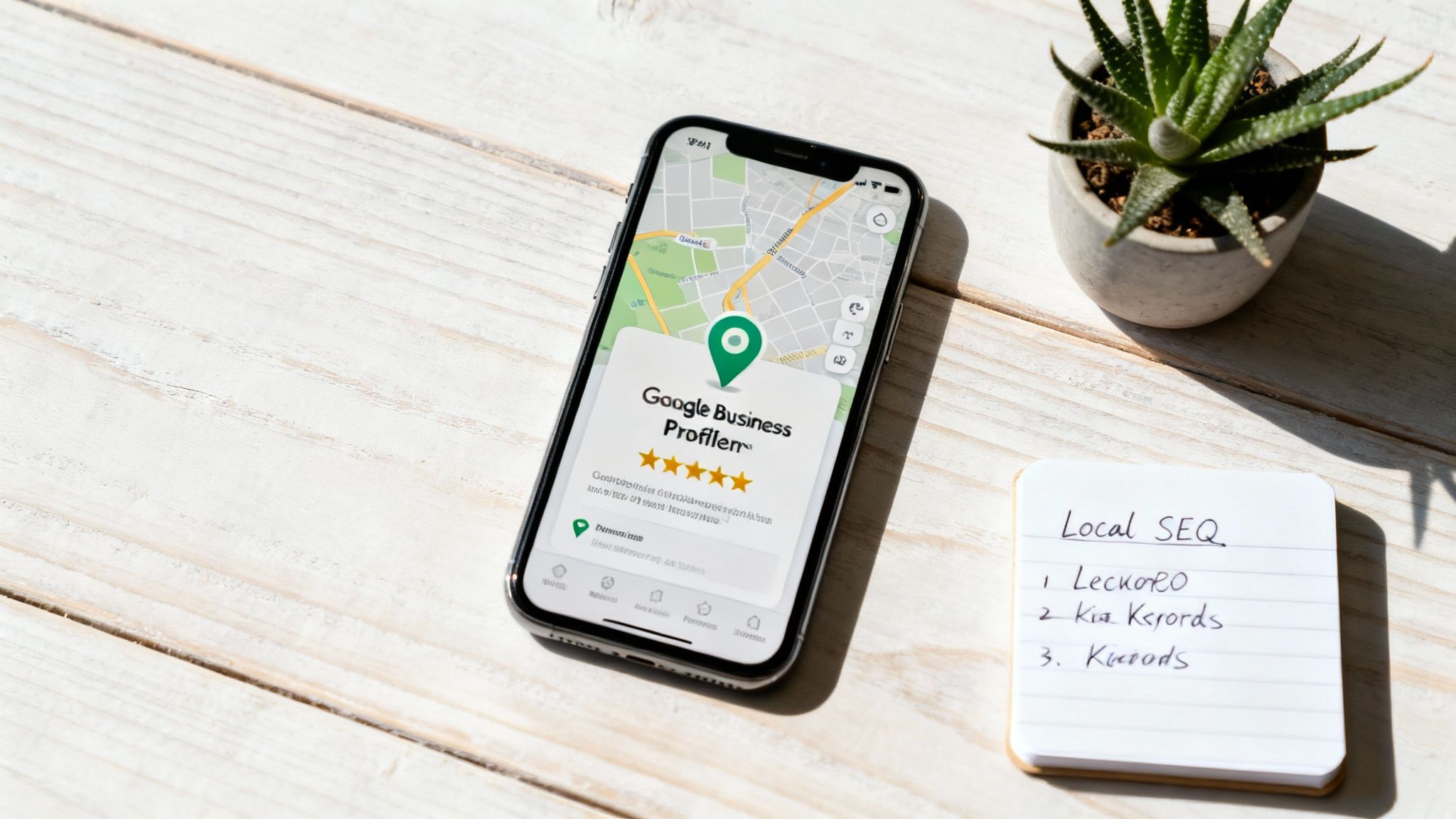
Let's be honest: a stunning website that nobody can find is just a digital billboard in the desert. The second your site goes live, the real work begins—making sure local Kiwi customers actually see it when they’re searching for your services.
This is where a smart local search engine optimisation (SEO) strategy comes in. It’s not about bamboozling Google with technical tricks. It’s about sending clear, consistent signals that tell search engines exactly what you do, where you do it, and why you're the best choice for people in your town. Get this right, and your website starts acting like a magnet for qualified local leads.
The stakes are pretty high. With New Zealand's internet use hitting 96.2% in early 2025, virtually every customer is online. The good news? 75% of online spending went to local NZ businesses. Kiwis want to support local—you just have to make it easy for them to find you.
Nailing Your On-Page SEO Basics
On-page SEO simply means optimising the content on your website pages so they rank higher. It all starts with getting inside your customer's head and figuring out the exact words they're typing into Google. This is keyword research.
Picture this: you're a sparky in Tauranga. Your customers aren't just searching for "electrician." They're getting specific. They’re looking for things like "emergency electrician Papamoa," "heat pump installation Tauranga," or "rewire old house Mount Maunganui." Your job is to uncover these local, service-specific phrases and build your page content around them.
Once you know what people are searching for, you need to place those keywords in a few key spots:
- Meta Titles: The main blue headline in Google search results. It needs your main service and location (e.g., "Expert Heat Pump Installation | Tauranga & BOP").
- Meta Descriptions: The short blurb under the title. It doesn't directly boost rankings, but a good one gets you the click over a competitor.
- Headings (H1, H2, etc.): Use your keywords in the headings on your pages. This gives Google a clear outline of what your page is about.
- Page Content: Weave your keywords and similar phrases naturally into your text. Don't stuff them in; make it sound human.
Think of on-page SEO like setting up your shop. You wouldn't just dump all your products in a heap. You’d create clear aisles and signs so customers can find what they need. You're doing the exact same thing for Google.
Your Google Business Profile: Your Digital Front Door
For any local Kiwi business, your Google Business Profile (GBP) is your single most important marketing asset. Seriously. It’s that info box that pops up on Google Maps and in local searches, showing your address, hours, phone number, and those all-important reviews.
A half-finished profile is a massive missed opportunity. A fully built-out profile, on the other hand, can get your phone ringing before someone even clicks through to your website. If you're serious about this, you need to focus on Google Business Profile optimisation to get local leads by filling out every single section properly.
To turn your profile into a lead-generating machine, you need to:
- Complete Every Section: Fill out your business categories, service areas, hours, and upload high-quality photos of your work and your team.
- Encourage Customer Reviews: Don't be shy—ask happy customers to leave a review. Good reviews are a huge trust signal for both new customers and Google.
- Use Google Posts: Share updates, special offers, and news. It shows Google (and customers) that you’re active and open for business.
- Answer Questions: Proactively add and answer common questions in the Q&A section. It shows you know your stuff.
Building Trust with Citations and Reviews
Google likes to see your business mentioned elsewhere on the web; it verifies that you're a legitimate local operation. These mentions are called citations—think listings in online directories like Finda, Yellow Pages NZ, or other industry-specific sites.
The golden rule here is consistency. Your business Name, Address, and Phone number (NAP) must be identical across every single listing. Even a small difference can confuse search engines and hurt your local rankings.
Finally, you have to stay on top of your online reputation. Responding to both good and bad reviews shows you care about your customers. It's not just about Google; it’s about building a brand that people in your community trust. Learning the ropes of Online Reputation Management for Small Businesses is a crucial step in protecting that hard-earned credibility.
Your Website Launch and Growth Strategy
Hitting that "publish" button feels like the finish line, but really, it’s just the start. Your website isn't a static brochure you print and forget about; it's a living, breathing part of your business that needs to keep evolving. Launch day is the beginning of a constant cycle: test, learn, and refine to make sure it keeps generating leads for your Kiwi business.
A clunky launch can kill your momentum before you even get started. Imagine a potential customer trying to use your contact form, only for it to lead nowhere. Or clicking a link that lands on a dead page. These are the kinds of frustrating experiences that a thorough pre-flight check prevents.
This final quality control pass is your last chance to catch small mistakes before they become big headaches for your customers. It’s about making sure everything works perfectly, from how the site looks on a phone to whether your analytics are actually hooked up and tracking visits correctly.
The Essential Pre-Launch Checklist
You wouldn't open a physical shop without checking the locks and making sure the lights work. Launching a website is no different. A methodical checklist ensures a professional rollout, and your web design team should be obsessively ticking off every item before flipping the switch.
This goes way beyond spotting a few typos. It’s about walking in your customer's shoes to find any technical glitches or confusing navigation that could cost you a sale. We focus on a few critical areas:
- Cross-Browser and Device Testing: Your site has to look sharp and function perfectly on Chrome, Safari, and Firefox. More importantly, it needs to work just as well on a big desktop monitor as it does on the smallest smartphone screen.
- Functionality Checks: Every single link, button, and form gets tested. Do enquiry forms actually land in your inbox? Do the social media icons go to the right profiles? No stone is left unturned.
- Content and SEO Review: One last sweep for spelling mistakes is a must. We also double-check that every page has an optimised meta title and that all your images have descriptive alt text—both are crucial for a good user experience and, just as importantly, for your Google rankings.
Going live with a broken form or a mobile layout that’s a total mess is like opening your new shop with the door jammed shut. A detailed pre-launch check ensures you’re open for business from the very first visitor.
Before any site we build goes live, we run through a comprehensive checklist to ensure every detail is covered. Here’s a simplified version of what that looks like.
Essential Pre-Launch Website Checklist
| Check Category | Specific Task | Status (To Do / Done) |
|---|---|---|
| Technical & SEO | All meta titles and descriptions are optimised | |
| Image alt text is present on all images | ||
| Site is submitted to Google Search Console | ||
| Google Analytics tracking code is installed | ||
| No broken links (internal or external) | ||
| Functionality | All forms submit correctly and send notifications | |
| All buttons and calls-to-action link correctly | ||
| Social media links point to the correct profiles | ||
| User Experience | Website tested on major browsers (Chrome, Safari) | |
| Website tested on mobile, tablet, and desktop | ||
| Site navigation is intuitive and easy to use | ||
| Content | Final proofread for all copy is complete | |
| All placeholder content has been replaced | ||
| Contact information (phone, address) is correct |
This isn't an exhaustive list, but it covers the non-negotiables that prevent embarrassing and costly post-launch fixes.
Monitoring Performance with Key Tools
Once you're live, the game shifts from building to measuring. After all, you can't improve what you don't measure. Setting up the right tools from day one is the only way to get hard data on how your small business web design in NZ is performing.
There are two free tools from Google that are absolutely essential:
- Google Analytics: Think of this as your website’s command centre. It shows you who's visiting, how they found you, what pages they’re looking at, and how long they’re sticking around.
- Google Search Console: This is your direct line to Google. It tells you how your site is performing in search results, what keywords are bringing people in, and flags any technical issues that could be hurting your rankings.
These tools replace guesswork with facts. They give you the raw data needed to understand what people are actually doing on your site, showing you what’s working and what needs fixing—fast.
Interpreting Your Data and Optimising for Growth
Collecting data is one thing; knowing what to do with it is another. To avoid drowning in numbers, focus on a few key metrics that really matter. Keep an eye on user traffic (how many people are visiting), bounce rate (are they leaving straight away?), and conversion goals (how many are actually filling out your contact form?).
This data tells a story. A crazy high bounce rate on one of your main service pages could mean the headline is weak or the page is taking forever to load. Really low traffic might be a sign that your SEO needs more attention.
From here, you can start making smart, data-backed changes. This ongoing process of optimisation could involve:
- A/B Testing Headlines: Trying out two different headlines on a page to see which one gets more engagement.
- Refining Calls-to-Action: Tweaking the text or even just the colour of a "Get a Quote" button to see if it encourages more clicks.
- Updating Content: Regularly adding fresh blog posts or new case studies to keep both visitors and Google interested.
This is the cycle that separates a great website from a good one. Launch, measure, optimise, repeat. It’s how your website goes from being just an online brochure to a lead-generating machine that grows right alongside your business.
Common Questions About NZ Web Design
When you're busy running your business, diving into web design can feel a bit daunting. We get it. Over the years, we've had hundreds of conversations with Kiwi business owners, and the same questions always come up.
Getting straight answers from the get-go helps you plan properly and know exactly what to expect. So, let’s clear up a few of the most common things we get asked about building a small business website in NZ.
How Long Does a Website Build Actually Take?
This is usually the first question on everyone's mind, and the honest-to-goodness answer is: it depends.
For a standard, professional website with about five pages, we can usually get it designed, built, and live in as little as 3 to 4 weeks. That's a realistic timeframe when we have a clear plan and you're able to give us feedback along the way.
But if you’re after something more complex, it’s naturally going to take longer. A site with a custom booking system, a big e-commerce store full of products, or really specific design needs could stretch out to a couple of months. The single biggest thing that affects the timeline? How quickly we get the content and feedback we need from you.
Why Is Ongoing Website Maintenance So Important?
A website isn't a billboard you just put up and forget about. Think of it more like your work ute; it needs regular servicing to keep it running smoothly and securely. You wouldn't skip an oil change, right?
Ongoing maintenance is non-negotiable for a few key reasons:
- Security: The software that runs your site (like WordPress and its plugins) gets updated all the time to patch security holes. If you ignore these, you’re basically leaving the door open for hackers.
- Performance: Regular tune-ups keep your site fast and working properly on the latest web browsers. This is huge for keeping visitors happy and for your Google rankings.
- Functionality: Things can break online without warning. Maintenance catches issues like broken contact forms or buttons before they start costing you leads.
Ignoring maintenance is a false economy. You might save a few bucks in the short term, but it almost always leads to a much bigger, more expensive headache down the line—like a hacked website or a critical failure that takes you offline completely.
Do I Need to Be a Tech Expert to Manage My Site?
Not at all. Modern systems like WordPress are built for normal people, not IT gurus. Once we’ve built your website, you’ll be able to handle the day-to-day stuff yourself, no problem.
For instance, you’ll easily be able to:
- Add a new blog post
- Update your opening hours
- Change a phone number on the contact page
- Upload new photos to your project gallery
We’ll always give you a bit of training so you feel confident making these simple updates. For anything more technical, like software updates or major design changes, that’s what your web support team is for. It gives you the freedom to manage your content without ever worrying you might break something.
Ready to build a website that doesn't just look great but actively gets your phone ringing? At Four Stripes, we specialise in creating high-converting websites for Kiwi service businesses, combining smart design with powerful local SEO. Let's build a site that becomes your hardest-working employee. Learn more at https://fourstripes.co.nz.