
A proper website for a tradie isn't just a fancy online business card. It's a lead-generating machine that works for you 24/7, turning local searches into phone calls and solid jobs. It's built to do one thing exceptionally well: get you hired, especially by customers searching on their phones.
A good website transforms a business expense into your single best investment. Simple as that.
Why Your Website Is Your Most Important Employee
Let's be real. The old advice of 'you need a website' is knackered. The real question is, does your website actually pull its weight?
Think of it like this: while you’re on the tools, halfway up a ladder or crawling under a house, your website is your best employee. It never calls in sick, never takes a holiday, and it's always there to greet a potential customer with a professional handshake.
Here’s a classic scenario. It's 9 PM in Hamilton and a homeowner's pipe just burst. They whip out their phone and search "emergency plumber Hamilton." Two local guys pop up. The first has a clunky, slow-loading site that’s a nightmare to use on a mobile. The second has a clean, professional website with a massive "Call Now" button right at the top.
Who do you think gets that urgent, high-value job? Exactly.

Beyond a Digital Brochure
A professional website is more than just an online flyer; it's an active part of your business operations, designed to hit goals that directly pad your bottom line.
- It builds instant trust. Showcasing your qualifications, photos of past work, and customer testimonials makes you the obvious, safe choice.
- It pulls in qualified local customers. You'll attract people who are actively looking for the exact services you offer, in the areas you actually work.
- It filters out the tyre-kickers. By being crystal clear about your services and service areas, you waste less time on calls that go nowhere.
Of course, to get the most out of your "best employee," you need to make sure every single lead is captured. For busy tradies, this can be a challenge, which is why many explore how an answering service for contractors can help make sure no call goes unanswered.
Your website isn’t just about looking the part. It's a strategic system built to make your phone ring with good leads, freeing you up to do what you do best—the actual work.
Here in New Zealand, the digital tech sector contributes $7 billion to GDP and it's growing every year. For Kiwi tradies, this means a website is no longer a 'nice-to-have'. It's essential. A site that converts even an average of 2.35% of its visitors into leads isn't just keeping you in the game; it's putting you ahead of the competition.
The Must-Have Pages and Features That Convert Visitors
Let’s be honest, a successful tradie website isn’t about winning design awards. It’s a lean, mean, lead-generating machine. Its only job is to turn a curious visitor into a paying customer, and it needs to do that fast. This means ditching the flashy animations and focusing on the practical, non-negotiable elements that actually make your phone ring.
Think of your website like your ute. You don't need fancy spinning rims, but you absolutely need a reliable engine, good tyres, and a well-organised toolbox. It's the same deal with your site—it needs the right pages and features, each with a specific job, working together to get you more work.
Each page on your site has a distinct role in turning a searcher into a caller. We've built hundreds of these sites, and this is the core structure that works time and time again.
Core Website Pages and Their Purpose
| Page Type | Primary Goal | Key Features |
|---|---|---|
| Homepage | Build instant trust and guide visitors to the next step. | Clear headline (what you do, where you do it), massive phone number, core services overview, trust signals (reviews, logos). |
| Service Pages | Capture specific, high-intent searches on Google. | Detailed description of one service (e.g., 'Hot Water Cylinder Repair'), answers common questions, showcases relevant work, clear call-to-action. |
| About Us | Show you're a real, trustworthy local expert. | Photo of you/your team, years of experience, trade qualifications (e.g., Master Electricians), personal story. |
| Gallery/Projects | Provide visual proof of your quality workmanship. | High-quality before-and-after photos, brief descriptions of the job and location. |
| Contact Us | Make it ridiculously easy to get in touch. | Click-to-call number, simple contact form, service area map, business hours, address. |
These pages form the backbone of a site that doesn't just look good but actually brings in the jobs you want.
Your Homepage: The Digital Handshake
Your homepage is often the first impression a potential customer gets. They’ve landed there with a problem—a leaky tap, a flickering light—and you have about three seconds to convince them you’re the right person to solve it.
It must answer three questions instantly:
- What do you do? (e.g., "Emergency Plumber & Gasfitter")
- Where do you do it? (e.g., "Serving Auckland's North Shore")
- How do I get in touch? (A massive, impossible-to-miss phone number)
Everything else is secondary. The goal is to stop them from hitting that back button. Your phone number should be right at the top, and on a mobile, it absolutely must be a click-to-call button. Don't make people work to give you money.
Dedicated Service Pages For High-Intent Customers
One of the most common mistakes we see is tradies lumping all their services onto one generic page. This is a massive missed opportunity. A homeowner in a panic doesn’t search for "plumber"; they search for "hot water cylinder repair" or "blocked drain clearing."
Creating dedicated pages for each core service—like 'Switchboard Upgrades,' 'Commercial Fit-Outs,' or 'Leaky Roof Repairs'—does two critical things. First, it helps you rank on Google for these specific, money-making searches. Second, it instantly tells the visitor, "Yes, you're in exactly the right place. We specialise in this."
A strong set of service pages acts like a perfectly organised toolkit. When a customer needs a specific tool, you can show them you not only have it but you're an expert at using it. This is a fundamental part of a professional small business website design that generates real leads.
The About Us Page That Builds Real Trust
At the end of the day, customers hire people, not faceless businesses. Your 'About Us' page is your chance to build a genuine connection and prove you’re a trustworthy, qualified professional they can feel comfortable letting into their home.
This isn’t the place for corporate jargon. It’s where you tell your story.
- Show your face. A professional photo of yourself and your team goes a long way.
- Share your experience. Been in the trade for 15 years? Say it loud and proud.
- Display your qualifications. List your trade certifications, licences, and any industry memberships (e.g., Master Plumbers, SiteSafe). This is non-negotiable for building credibility.
This simple transparency turns you from a random name on a search page into a real, local expert they can rely on.
Essential Features That Get The Phone Ringing
Beyond the core pages, your site needs specific features that remove any doubt and make it dead simple for customers to take the next step. Think of these as the final nudges that get them to pick up the phone.
Key Conversion-Focused Features:
- A Gallery of Your Work: Before-and-after photos are one of the most powerful selling tools a tradie has. It’s visual proof that you deliver quality results.
- Customer Testimonials: Displaying genuine reviews is crucial. We recommend integrating your Google Reviews directly onto your site—after all, 87% of consumers use Google to check out local businesses.
- A Clear Service Area Map: Show, don’t just tell. A simple map outlining your service region instantly tells visitors if you work in their area, filtering out the time-wasters.
- An Obvious Call to Action (CTA): Every single page should guide the user. Buttons like "Get a Free Quote," "Call Us Now," or "Book a Job Online" tell them exactly what to do next.
Designing for the Ute, Not the Office
Picture your last customer. Was it someone sitting at a desk with a big monitor when their hot water cylinder blew? Not likely. They were probably standing in a puddle, frantically Googling "emergency plumber" on their phone, desperate for someone—anyone—to answer.
That’s the reality. Your customers are on their phones, often in a hurry, and have zero patience for a website that’s a pain to use. If they have to pinch-and-zoom to read your text or can’t find your number in under three seconds, they’re gone. They’ll hit the back button and call the next person on the list.
For tradies, a killer website starts and ends with the mobile experience.
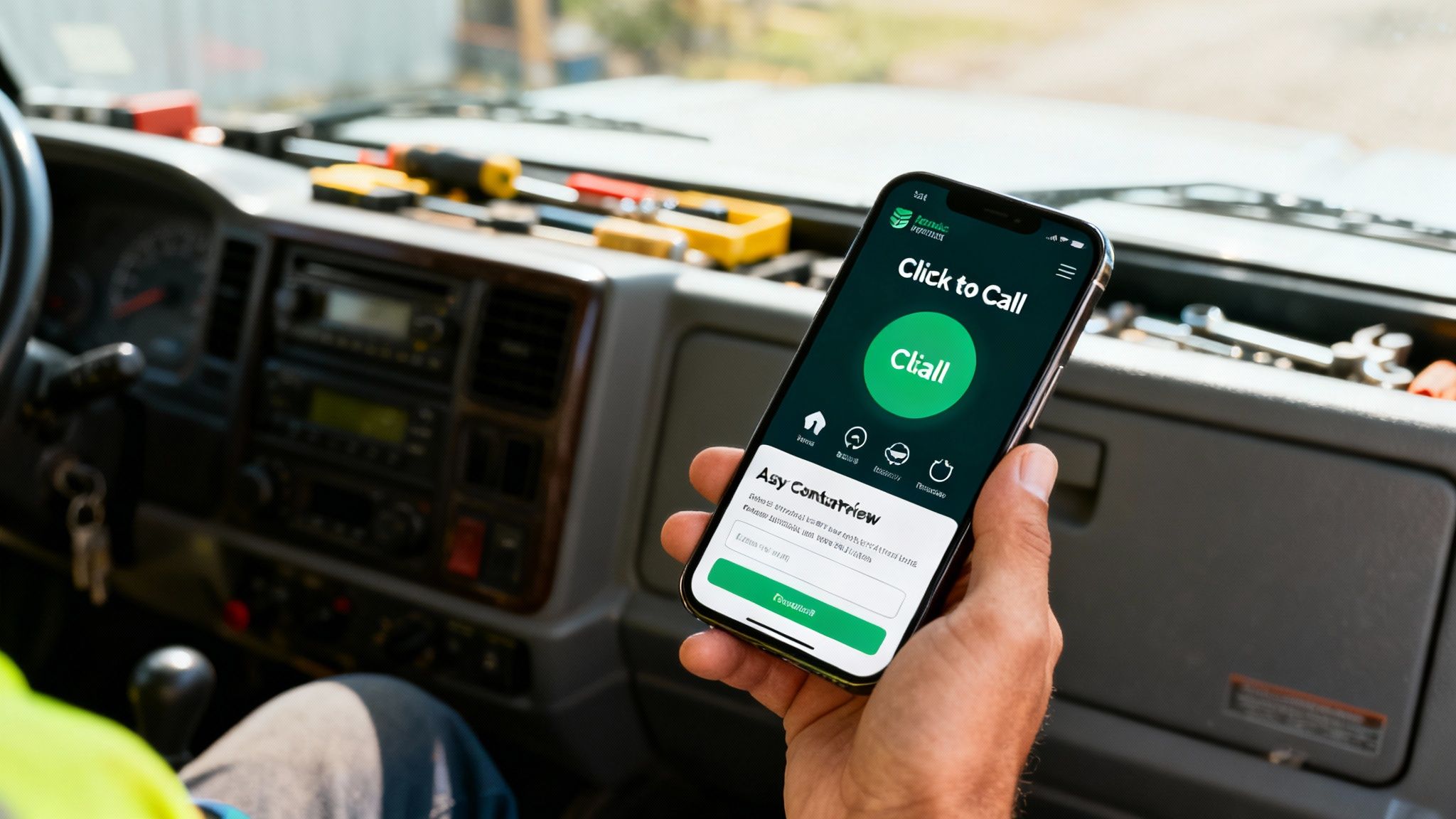
Make It Effortless for Thumbs
"Mobile-first design" isn't just some tech buzzword; it’s a non-negotiable for getting more calls. It means building your site for the small screen first, stripping it back to what a stressed-out customer needs right now. Think speed and simplicity, not flashy distractions.
The goal is to remove every bit of friction. Everything should be easy to tap with a thumb, even on a cracked screen in the pouring rain.
- Big, Obvious 'Click-to-Call' Buttons: Your phone number should be impossible to miss. Make it a huge button, right at the top, that instantly starts a call. Don't ever make someone try to copy and paste a number.
- Simple Navigation: Forget fancy, drop-down menus. A customer in a jam needs a dead-simple menu with clear links to your services and contact page. Four or five main options is plenty.
- Forms That Don't Annoy: If you use a contact form, keep it brutally short. Name, phone number, and a message box. That's it. Ask for anything more and you're just giving them a reason to leave.
Site Speed Is Everything
In this game, speed isn't a feature—it's the whole damn thing. It's not just about keeping impatient people on your site; Google actively penalises slow websites, shoving them down the search results where customers will never find them.
The data is clear: even a one-second delay in mobile page load time can slash conversions by up to 20%. Over a year, that’s a staggering number of lost jobs.
The rule is simple: if your website takes longer to load than it takes a potential customer to get fed up and call someone else, you’ve already lost the job. Your site’s performance is as critical as the tools in your van.
A huge speed killer we see all the time is image size. Photos of your quality work are essential for building trust, but if they're not properly optimised, they’ll bring your website to a grinding halt, especially on a mobile connection.
Actionable Tips for a Lightning-Fast Site
You don't need to be a web developer to sort out the basics. Here are a few things that make a massive difference:
- Compress Your Images: Before you upload any photos, run them through a free online tool like TinyPNG. It shrinks the file size massively without any noticeable drop in quality, meaning they'll load in a flash.
- Get Decent Hosting: Cheap, shared hosting is a false economy. It's like trying to run your business out of a rusty, unreliable van. Investing in quality, local hosting gives your site the horsepower it needs to load quickly for Kiwi customers.
- Keep It Clean: Ditch the clutter. Auto-playing videos, complicated animations, and annoying pop-ups might look clever, but they’re notorious for slowing down mobile sites and driving visitors away.
Focus on these practical steps, and you'll have a website that works for the customer who matters most—the one on their phone, looking for an easy solution to their urgent problem.
How Local Customers Find You With SEO and Google Business Profile
Look, having a sharp, fast, mobile-friendly website is a massive first step. But think of it like this: you've got the best-equipped ute in Auckland, but it's parked in a locked garage. If nobody can find it, it’s not making you any money.
This is where Local Search Engine Optimisation (SEO) comes in. Don't let the fancy name fool you; it's simpler than it sounds.
Local SEO is all about making your business impossible to miss when customers in your specific service areas search on Google. It’s not about tricking the system. It's about clearly telling Google who you are, what you do, and where you do it. The ultimate prize? Landing in the Google Map Pack—that little box with a map and three business listings that pops up for searches like "electrician near me."
And it matters. A lot. Industry data shows 87% of consumers use Google to check out local businesses. If you're not showing up in that Map Pack, you're basically invisible to nearly nine out of ten potential customers.
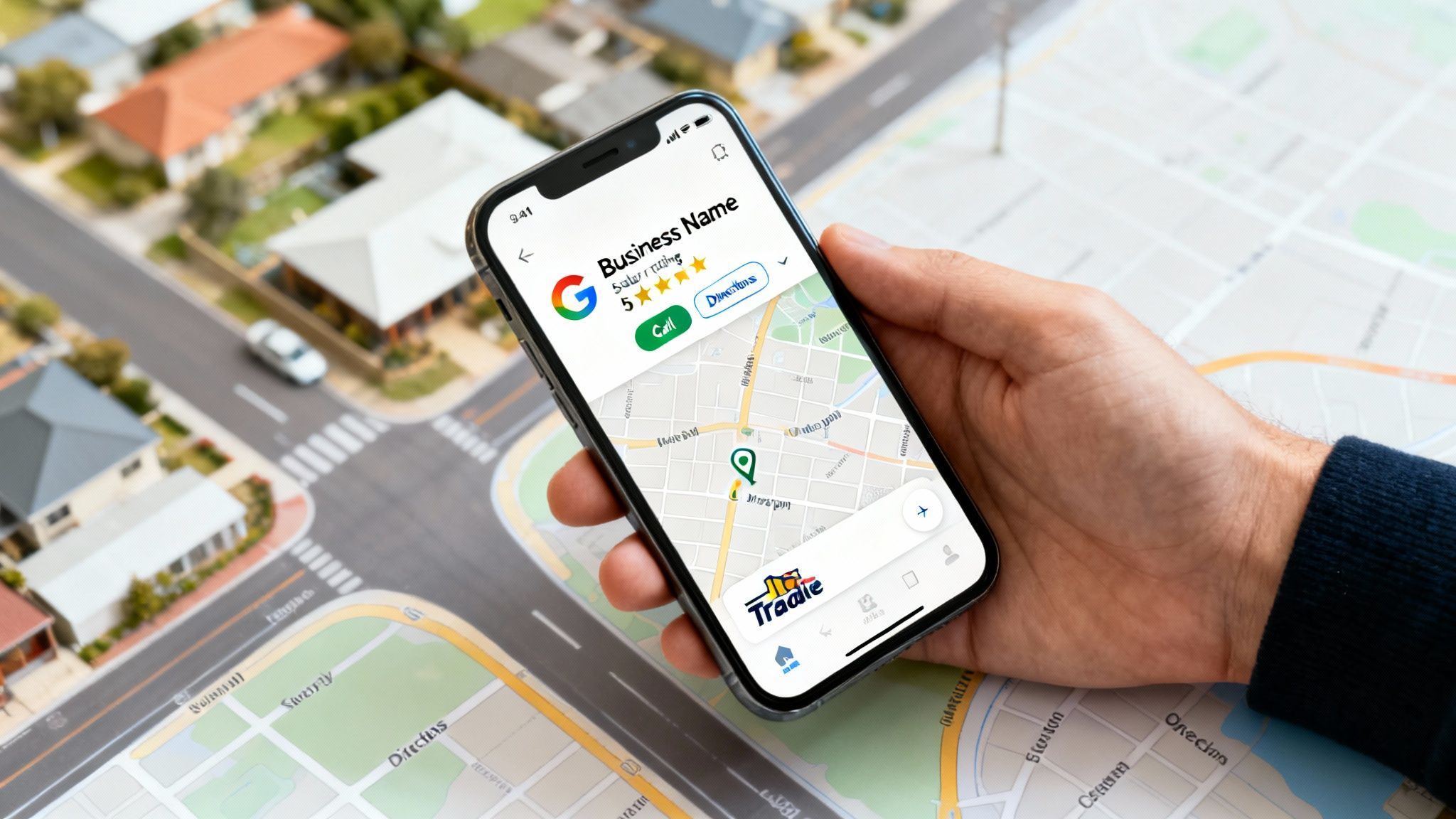
Your Most Powerful Free Tool: Google Business Profile
Before you even think about getting into complex SEO tactics, your first job is to set up and properly fill out your Google Business Profile (GBP). This is your free listing that gets you on Google Maps and in those crucial local search results. For most tradies, it's the single biggest lead generator they have. Period.
Getting this right is non-negotiable. It’s the concrete slab your entire local marketing house is built on.
Here’s what you absolutely have to nail:
- Claim and Verify It: First things first, prove to Google you actually own the business. This is a simple but critical step.
- Get Your Categories Right: Be specific. Don’t just list "Plumber." Add secondary categories like "Gasfitter," "Drainlayer," and "Hot Water System Installation" to show up for more targeted searches.
- Map Out Your Service Area: Don't be vague. List every single suburb and town you serve. This tells Google exactly where to show your profile to customers.
- Upload Good Photos (and Lots of Them): Get photos of your team, your branded van, and most importantly, your finished work. Uploading fresh photos regularly signals to Google that you're an active, busy business.
- Chase Down Customer Reviews: This one is huge. Encourage every single happy customer to leave you a Google review. A steady stream of positive reviews is one of the most powerful signals for getting into that Map Pack.
A well-optimised Google Business Profile is like having a permanent, free advert at the top of Google for your most profitable local searches. It’s the difference between waiting for the phone to ring and having a consistent flow of inbound calls.
And remember, your profile isn't a "set and forget" task. To really turn it into a lead machine, check out our complete guide to Google Business Profile optimisation for more advanced tips.
Simple On-Page SEO for Your Website
Once your GBP is sorted, the next move is to make sure your website is telling Google the same story. This is called "on-page SEO," and it's just about making it dead obvious to both search engines and your customers what you do and where you do it.
You don't need to be an expert. Just think like your customer: What words would they type into Google when they’ve got a problem you can solve?
Weave Your Location Into Your Content
The easiest win here is to sprinkle your location naturally through your website copy. This hammers home your service area and helps you rank when people search for services in their specific suburb.
- Page Titles: Instead of a generic "Services" title, go with "Plumbing Services in Tauranga."
- Headings: Use subheadings like "Your Local Hamilton Electricians" or "Kitchen Renovation Experts on the North Shore."
- Service Descriptions: In the actual text on your service pages, mention the areas you cover. Something like, "We provide emergency hot water cylinder repairs across the entire Wellington region, from Porirua to the Hutt Valley."
This isn't about stuffing keywords everywhere until it sounds weird. It's about being clear and genuinely helpful. A customer in Manukau wants to see straight away that you service their area, and so does Google.
By combining a fully-optimised Google Business Profile with these basic on-page SEO tweaks, you create a powerful one-two punch that makes your business the obvious choice for local customers. To take things a step further, explore some proven strategies for lead generation for contractors that build perfectly on this foundation.
How Much a Tradie Should Invest in a Website
Alright, let’s talk money. When it comes to getting a website built, the big question isn't if you should spend, but how much you need to invest to actually get a return. Website pricing is all over the show, from dodgy DIY builders that seem too cheap to be true, to eye-watering quotes from big city agencies. Cutting through that noise is the key.
Your website isn’t just another business expense; it's your hardest-working employee and your single best tool for generating leads. Skimping on it is like buying a cheap knock-off power tool—it’ll probably let you down right when you need it and end up costing you a fortune in lost jobs and headaches. A smart investment, on the other hand, gives your business an asset that brings in new work 24/7.
What Actually Drives the Cost?
That final price tag isn't just pulled out of a hat. It’s a direct reflection of the time, skill, and resources needed to build something that genuinely performs. The gulf between a simple online brochure and a high-performance lead machine comes down to a few critical things.
These are the main factors that influence what you'll pay:
- Custom Design vs Template: A cheap template looks generic and is a nightmare to customise. A proper custom design is built from the ground up to reflect your brand and, more importantly, is structured to turn your ideal customers into paying clients.
- Professional Copywriting: The words on your site matter. A lot. Pro copy is written to convince visitors to call you and is optimised for Google, which helps you show up for the services you offer in the areas you actually work.
- A Solid SEO Foundation: A cheap website will have zero SEO baked in. A professional build includes foundational Local SEO from day one—things like the right page structure and local keywords—giving you a massive head start in local search results.
For a really clear breakdown of how these pieces fit together, check out our detailed guide on website design pricing.
The Typical Investment Range in New Zealand
So, what’s a realistic budget? According to recent industry guides here in NZ, a standard 5-10 page small business website in 2025 will typically set you back anywhere from $3,000 to $8,000. You'll definitely see ads for sites under $1,000, but for a tradie who needs a site that actually converts visitors, has proper Local SEO, and integrates with your Google Business Profile, that $3,000-$8,000 bracket is where you’ll find the quality that delivers real-world results. For a deeper dive into the numbers, check out the full NZ website cost analysis on 543websitedesign.co.nz.
A professionally built website isn’t just about looking sharp. It’s a purpose-built engine designed to do one thing exceptionally well: make your phone ring with qualified, local leads who are ready to hire you.
Don't Forget the Ongoing Costs
Getting the site live is just the beginning. Think of it like your work van—it needs fuel and regular servicing to stay on the road. Your website is no different; it needs ongoing support to stay fast, secure, and visible on Google.
Make sure you budget for these typical running costs:
- Hosting: This is essentially the rent you pay for your website's spot on the internet. Good quality hosting is non-negotiable for site speed and security.
- Domain Name: This is your website address (like yourbusiness.co.nz) and it has a small annual renewal fee.
- Maintenance & Security: This covers all the important stuff like software updates, security scans, and regular backups. It’s what protects your site from hackers and makes sure it keeps running smoothly.
These aren't hidden fees; they're essential for protecting your investment. Any decent agency will be upfront and transparent about these costs from the get-go, so there are no nasty surprises later on.
Your Website Is Live. Now What?
Alright, your new website is live. Pop the bubbly? Not quite. Launching your site isn’t the finish line; it’s the starting gun.
Think of it like this: you've just bought a top-of-the-line work ute, fully kitted out. It looks fantastic sitting in the driveway, but it's not going to find you any jobs on its own. Now, you need to put fuel in the tank, get it on the road, and start driving it to where the customers are. A great website is the foundation, but what you do after it goes live is what separates the businesses that thrive from those that just exist.
The first job is to let Google know your site is ready for business and to start tracking what’s happening. These are non-negotiable first steps. Skipping them is like leaving your best tools locked up in the shed.
This flowchart shows the difference between a cheap DIY site and a proper investment.
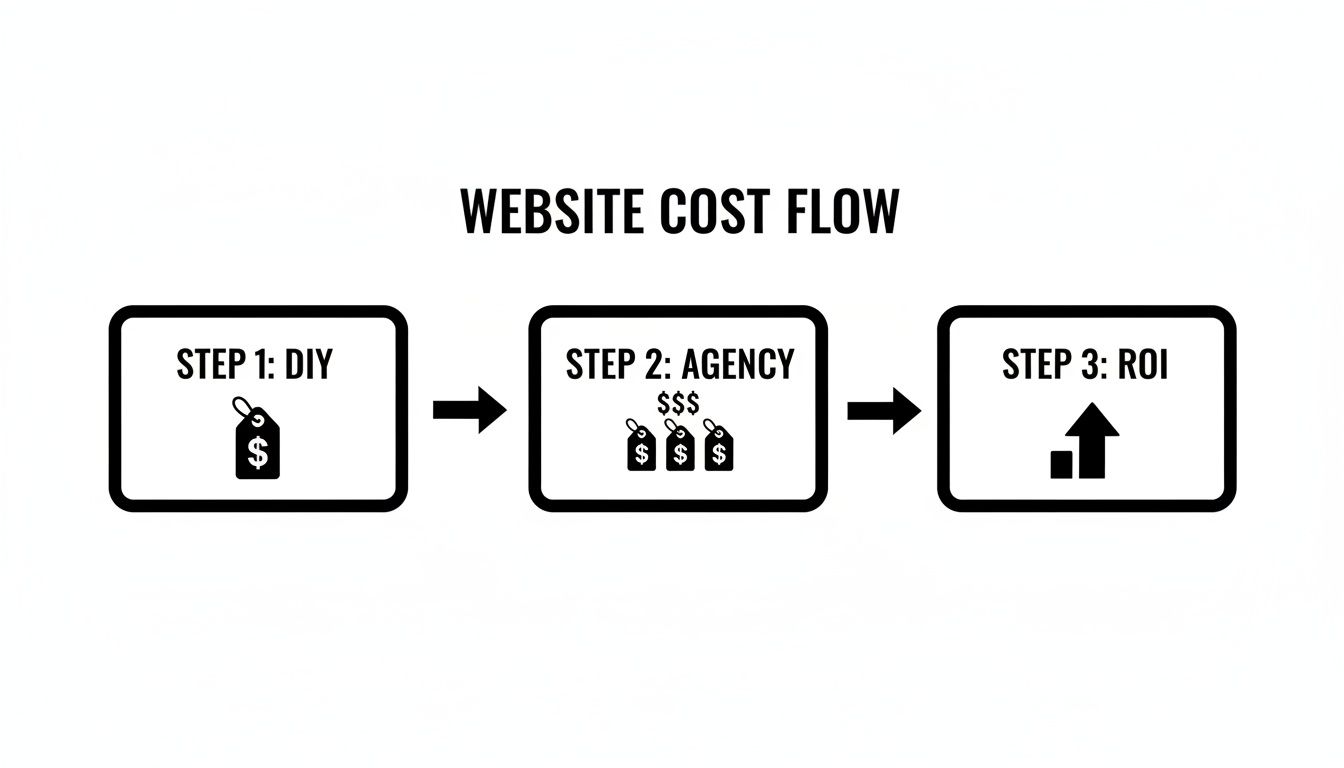
As you can see, investing a bit more upfront with a professional agency avoids the dead-end of a DIY site and leads to a much bigger return down the track.
Your Post-Launch Checklist
Here are the critical first moves to make sure your site starts pulling its weight from day one. These steps get you visible and give you the data to see what's actually working.
- Submit Your Sitemap to Google: A sitemap is just a list of all the pages on your website. Submitting it through Google Search Console is like handing Google the blueprints to your new build. It helps them find and list your pages in search results much, much faster.
- Set Up Google Analytics: You can't improve what you don't measure. Analytics is a free tool that tells you how many people are visiting your site, what pages they’re looking at, and where they came from. It's essential for figuring out what your customers care about.
- Kick-start a Review Campaign: Now you have a professional online home, it’s time to build up your social proof. Flick a text or email to your last five happy customers with a direct link to your Google Business Profile and ask for a review. With 87% of consumers using Google to check out local businesses, those stars are pure gold.
Simple Marketing to Keep the Leads Coming
Once the technical basics are sorted, you can shift your focus to some simple marketing that keeps the phone ringing and reinforces your authority in your service area. This is all about building momentum.
Your website is the hub, but ongoing marketing is the spokes that connect it to the community. Consistent effort, even small, keeps the wheel turning and the calls coming in.
Think of these as your ongoing maintenance jobs to keep your lead engine ticking over.
Build Local Business Citations
A "citation" is just an online mention of your business name, address, and phone number (NAP). Getting your business listed in reputable online directories like Yelp, local business associations, or trade-specific sites proves to Google that you’re a legitimate, local operator. The key here is consistency—make sure your details are identical everywhere.
Create Location-Specific Content
Want to land more jobs in a specific suburb like Remuera? Write about it. It can be as simple as a project post titled "Recent Bathroom Renovation in Remuera," with a few photos and a short description of the work. This does wonders for showing Google (and customers) that you’re the go-to expert in that area. It directly connects your website design for tradies to the actual, local jobs you want to win.
A Few Last Questions Answered
Still got a couple of things on your mind about getting a website sorted for your trade business? You’re not the only one. Here are some quick, straight-to-the-point answers to the questions we hear most from tradies around New Zealand.
How Long Does It Take to Build a New Website for a Tradie?
For a standard 5-10 page website built to our professional standards, you’re typically looking at around 3-4 weeks from our first chat to launch day. That timeline covers everything – design, writing the content, building it out, and doing all the final checks.
Of course, if you’ve got all your photos and service info ready to roll, we can sometimes move faster. If you need something more complex, like a full online booking system integrated, it might take a little bit longer.
Can I Update the Website Myself After It Is Built?
Yep, absolutely. We build every site on WordPress, which is a Content Management System (CMS) designed for exactly this. It means you can log in yourself to change some text, upload new photos to your project gallery, or add a testimonial from a happy customer. You don’t need to know any code.
We always run you through how to do the basics so you feel confident in the driver's seat.
Think of it like this: we build the high-performance engine and chassis of your ute, but you're always in the driver's seat, able to load it up with new tools and gear whenever you need to.
Is WordPress the Best Option for a Tradie Website?
Honestly, for the vast majority of tradies, it’s a brilliant choice. WordPress is powerful, flexible, and absolutely fantastic for Local SEO, which is the key to getting found by customers in your service area.
It gives you a platform that can grow right alongside your business and plays nicely with all the essential marketing tools you'll need. While there are other options out there, WordPress hits the sweet spot between performance, customisation, and being user-friendly for a service business like yours.
Do I Really Need Ongoing SEO After My Website Is Built?
A well-built website is the perfect foundation for SEO, but it's the ongoing work that helps you climb the rankings and, more importantly, stay there. It’s a bit like servicing your van or your tools – you do it to keep them performing at their best.
Regular SEO makes sure you keep showing up for those valuable local searches ("plumber in Howick," "electrician East Auckland"), helping you adapt to Google's updates and stay visible to a steady stream of new customers, month after month.
Ready to get a website that works as hard as you do? The team at Four Stripes are experts in building high-performance websites for Kiwi tradies that actually get the phone ringing. Get in touch for a no-obligation chat about your business.