
For Kiwi small businesses, your website is your single most important marketing asset. It’s not just an online brochure; it's your 24/7 salesperson, your credibility builder, and the first impression for almost every potential customer.
This guide is a hands-on manual for building a WordPress site that actually gets your phone ringing.
Why a Great Website Is Your Hardest-Working Employee
Let's skip the obvious stuff. You already know you need a website. What's more important to understand is how your site acts as the central hub of your business, especially now that customer behaviour has completely changed.
For service businesses in New Zealand—whether you're a plumber in Christchurch or a consultant in Auckland—your website is the first place potential clients go to check you out. Before anyone even thinks about picking up the phone, they're on your site trying to figure out if you look professional, trustworthy, and capable of solving their problem.
The shift to digital in Aotearoa has sped up massively. Recent stats show that over 90% of New Zealand consumers now research services online before buying anything. This makes your website the most critical first impression in their decision-making process.
This isn’t just about looking good online; it’s about building a powerful asset that actively brings in business.
It's a Growth Engine, Not Just a Digital Brochure
A well-built website does far more than just list your services. It’s an engine for growth that works away in the background, qualifying leads and building your brand authority while you're busy on the job.
Here’s how a smart approach to web design for small businesses pays off:
- Builds Instant Credibility: A professional, modern website signals that you're a serious, reliable business. On the flip side, poor design, slow load times, or a confusing layout can make potential customers second-guess your ability to do the job properly.
- Generates Qualified Leads: With clear calls-to-action, simple contact forms, and a bit of local SEO, your site can become a consistent source of enquiries from people actively searching for what you do.
- Works Around the Clock: Unlike your office, your website is never closed. It answers questions, shows off your work, and captures lead information 24/7, turning casual browsers into genuine prospects.
Your website should be your most effective employee—it never calls in sick, works 24/7, and is an expert at turning visitors into paying customers.
To make this happen, your website needs to be part of an effective marketing strategy for small business success. This guide will give you the blueprint for building that all-important foundation.
Building the Blueprint for a Website That Converts
Before you even think about colours or fonts, the real work begins. A website that actually brings in jobs isn't built on pretty graphics; it's built on a rock-solid plan. Skipping this stage is like a builder trying to construct a house without blueprints—you’re guaranteed to end up with something unstable that doesn't do what you need it to.
So, the first question you need to ask is brutally simple: What is the single most important job of this website? Every decision from here on out flows directly from your answer.
For most Kiwi service businesses, the goal isn't winning design awards or vague "brand awareness."
It's about making the phone ring.
Defining Your Website’s Core Purpose
Your number one goal shapes the entire feel and function of the site. Be ruthless and pick just one main objective. Trying to make your website do everything at once only confuses visitors, and a confused visitor will click away in a heartbeat.
Here are the most common goals we see for service businesses:
- Generate phone calls: This is the go-to for tradies like plumbers or sparkies. When a customer's pipe bursts, they need to call someone fast.
- Drive quote requests: Perfect for builders, landscapers, or anyone whose work requires a proper consultation and customised pricing.
- Increase foot traffic: Essential if you have a physical shopfront, like a local cafe or retail store, where the main goal is getting people through the door.
Once you’ve locked in that primary goal, every single thing on your website—from the main headline to the colour of your buttons—should be pointing visitors towards taking that one specific action.
Understanding Your Ideal Customer
You can’t build a site that converts if you don’t know who you’re talking to. Spending just a few minutes sketching out your ideal customer helps you write copy and choose a design that actually connects with them.
Imagine you're a plumber in Christchurch. Your target customer isn't just "anyone with a leaky tap." It's probably a homeowner, maybe aged 35-65, who’s stressed out about a blocked drain and needs a solution, now.
What do they need to see to trust you?
- Professionalism: A clean van and clear photos of your team.
- Expertise: A simple list of what you fix (e.g., hot water cylinders, drain unblocking).
- Social Proof: A few testimonials from other local homeowners.
- Urgency: A massive phone number and a mention of "24/7 emergency call-outs."
Thinking through their problem is the secret to effective web design for small businesses. It shifts your site from a generic "we do plumbing" brochure to a powerful "we solve your urgent plumbing issues in Christchurch" lead-generating machine.
A website that tries to speak to everyone ends up speaking to no one. Focus on your ideal customer's specific pain points, and they will feel like you built the site just for them.
Sketching a Simple, Effective Sitemap
A sitemap is just a basic map of your website's pages. For a small service business, complexity is the enemy. A messy website layout will frustrate potential customers and send them straight to your competitor.
Your mission is to make it dead simple for people to find what they need. Stick to a clean, logical structure that everyone is familiar with.
For most service businesses, these four pages are all you need to get started:
- Home: Your digital front door. It must immediately answer: who you are, what you do, and what the visitor should do next.
- Services: A clear breakdown of your offerings. Don't just list them; explain how they solve a customer's problem.
- About Us: This is where you build trust. Tell your story, show your face, and let people see the real humans behind the business.
- Contact: Make it ridiculously easy to get in touch. A big phone number, an email, and a simple contact form are non-negotiable.
This basic structure gives visitors a clear path to follow and helps Google understand what your business is all about. For more insights on layout, take a look at this guide on small business website design in NZ. Getting this right from the start saves a world of pain later.
Your Hands-On Guide to Building in WordPress
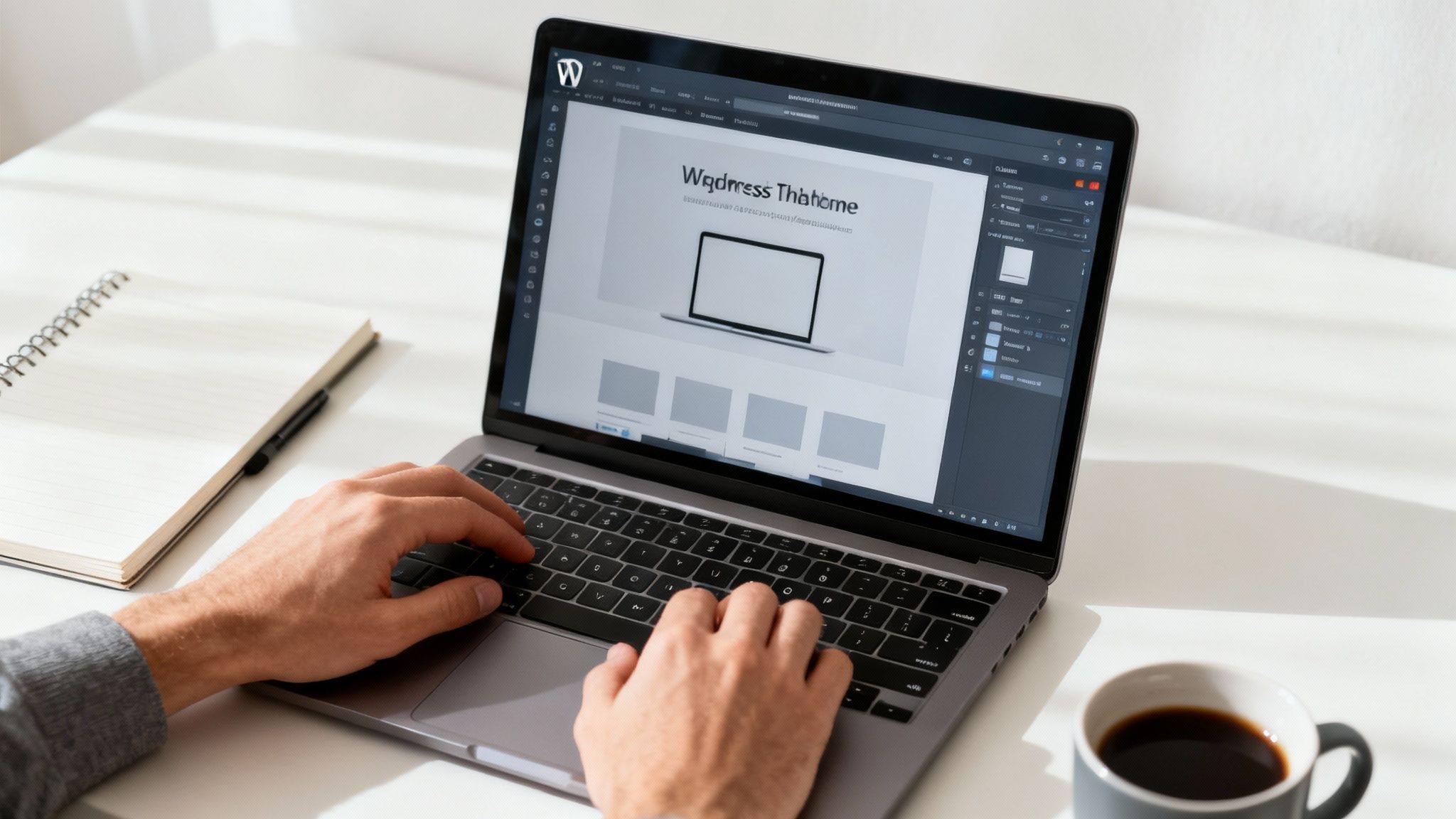
Okay, you've got a solid plan. Now it's time to roll up your sleeves and bring it to life. This is where we shift from paper to pixels and start building in WordPress—the platform that runs over 43% of the entire internet, and for very good reason.
It gives you total control, it’s powerful, and it scales with you.
Getting the technical side right might sound intimidating, but it's more straightforward than you think. We're going to walk through getting the foundations sorted, from picking a solid home for your site to choosing the tools that give you a pro finish without writing a single line of code.
This is the practical side of web design for small businesses, turning your sitemap into a real, working website ready to bring in local customers.
Nailing Down Your Domain and Hosting
Before you can build anything, your website needs two non-negotiables: an address (your domain name) and a place to live (your web hosting). Getting these right from day one saves a world of headaches later on.
Your domain is your unique spot on the web, like yourbusiness.co.nz. It needs to be memorable, easy for customers to type, and ideally, reflect your business name. Grabbing a .co.nz domain is a no-brainer—it instantly tells Kiwis you're a local they can trust.
Hosting is the engine that keeps your site online. For a service business, cheaping out on hosting is a false economy. Bad hosting means a slow, unreliable, or insecure website, which actively costs you customers and tanks your reputation. Look for providers known for excellent support and fast servers.
Choosing Your Theme and Page Builder
Once you've installed WordPress through your host, you'll land on the dashboard. The first real design choice is your "theme." Think of it as the architectural style of your house—it controls the overall look, like fonts, colours, and the header layout.
It's tempting to grab a theme packed with flashy animations and dozens of features. Don't do it. Most of those themes are bloated with code that will grind your site to a halt.
We always recommend starting with a lightweight, performance-focused theme like Astra, GeneratePress, or Kadence. These act as a clean, fast foundation, giving you the perfect canvas to build on.
To actually design your pages, you'll want a page builder. This is a plugin that gives you a drag-and-drop interface, letting you visually build your pages without touching code. Tools like Elementor or Beaver Builder are absolute game-changers, making it simple to create a custom, polished look that matches your brand perfectly.
Building Your Core Pages to Get Calls
With your tools ready, it's time to build out the essential pages from your sitemap. Remember, every single page has a job to do—and that job is almost always to guide a visitor one step closer to calling you or filling out a form.
Here's a breakdown of the crucial pages every small service business website needs.
| Page Name | Primary Goal | Must-Have Elements |
|---|---|---|
| Homepage | Make an instant, trustworthy first impression. | Clear headline (what you do), prominent phone number, a "Request a Quote" button, and key testimonials. |
| Services Page | Detail what you offer and solve the customer's problem. | Benefit-focused descriptions, images of your work, a clear call-to-action for each service. |
| About Us | Build trust and show the face behind the business. | Your story, photo of you/your team, and what makes you different from competitors. |
| Contact Us | Make it incredibly easy for leads to get in touch. | Click-to-call phone number, simple contact form, your physical address/service area, and an embedded map. |
| Gallery / Projects | Provide visual proof of your quality work. | High-quality images or videos of completed jobs with brief descriptions of the project. |
Let's look at how to approach the three most important pages:
The Homepage
You have less than five seconds to convince a visitor they're in the right place. Your homepage has to work fast.
- Nail the Headline: Don't say "Plumbing Services." Say, "Fast & Reliable Emergency Plumbers in Auckland." One solves a problem, the other doesn't.
- Obvious Call-to-Action (CTA): Your phone number and a "Get a Free Quote" button should be impossible to miss, right at the top.
- Build Instant Trust: A few short, powerful testimonials from happy customers are worth more than any sales pitch you could write.
The Services Page
This isn't a laundry list of tasks. It’s where you show customers you understand their problem and have the solution.
For instance, a builder wouldn't just list "New Builds." They’d have a section explaining their process from start to finish, showcasing photos of finished homes, and reinforcing their commitment to staying on time and on budget. That’s how you sell the result, not just the service.
The Contact Page
Your contact page should be the easiest page on your entire website to use. Remove every single piece of friction.
- Click-to-Call Number: An absolute must. Make sure anyone on a mobile can just tap your number to call.
- Keep the Form Simple: Name, email, phone, and a message box. That’s it. Don't ask for their life story.
- Embed a Google Map: Showing a map of your service area or office location builds local credibility and helps your local SEO.
By getting these core pages right, you'll have a WordPress website that does more than just look good—it'll be a machine for generating leads and growing your business.
Getting Found by Local Customers with Smart SEO
What’s the point of a brilliant website if no one can find it? This is where local Search Engine Optimisation (SEO) comes in. It’s not some dark art—it’s just a set of practical steps to make your business pop up when customers are searching in your area.
Think of it like this: your website is your digital shopfront, but SEO provides the signposts that guide local customers from Google straight to your door. Without those signs, you’re basically invisible online.
It's shocking how many Kiwi businesses are still missing this trick. Around 28% of small business owners in NZ don’t have a website at all, and a huge number of those who do aren't tracking their marketing. Considering almost everyone researches services online before buying, this is a massive opportunity for anyone willing to get the basics right.
Weave Your Location into Your Website
One of the quickest and most powerful local SEO wins is simply telling Google exactly where you operate. Don’t make the search engine guess.
Start by weaving your city, region, or key service suburbs into the most important spots on your website pages.
- Page Titles: Instead of a generic "Our Services," try something like "Expert Electrical Services in Auckland."
- Headings: Your main H1 heading could be "Reliable Plumbers for Christchurch Homeowners."
- Body Content: Mention your service areas naturally. For example, "We offer 24/7 emergency call-outs across the North Shore."
This immediately signals your local relevance to Google, helping you show up for people actively looking for what you do, right where you do it.
The golden rule of local SEO is simple: if you want to rank in Hamilton, your website needs to explicitly say you serve Hamilton. Be specific, be consistent, and make it obvious.
Master Your Google Business Profile
If you only do one thing for your local marketing, make it this. Your Google Business Profile (GBP) is the single most powerful free tool you have for pulling in local customers. It’s that business listing that appears in Google Maps and the "Map Pack" right at the top of the search results.
A huge part of local SEO is optimizing your Google Business Profile so that local customers can find you without even trying. This isn't a "set it and forget it" job.
Your profile needs to be completely filled out and actively managed. That means:
- Verify Your Business: Claim and verify your listing to show Google you’re the real deal.
- Add Your Services: List every single service you offer with clear descriptions.
- Upload High-Quality Photos: Show off your team, your van, and your work in action. Photos build massive trust.
- Get Customer Reviews: Proactively ask every happy customer for a review. Good reviews are a massive ranking factor.
- Use Posts: Share updates, offers, and photos of recent jobs using the "Posts" feature. It keeps your profile looking fresh and active.
Simple Technical Wins for Local Rankings
Finally, there are a couple of straightforward technical tweaks that can make a real difference. You don't need to be a tech whiz to get these sorted.
First, make sure your website is fast. Site speed is a confirmed ranking factor, and nothing makes a potential customer click away faster than a slow-loading site, especially on mobile. Good hosting and a lightweight theme will keep things zippy.
Second, tell Google your site exists by submitting a sitemap through Google Search Console. A sitemap is just a list of all your pages that helps Google find and index your content much faster. Plugins like Yoast SEO or Rank Math can create one for you automatically. For more practical advice, check out our guide on 7 essential local SEO strategies for 2025 small NZ businesses.
Budgeting for Your Website Project in New Zealand
Alright, let's talk numbers. Sorting out a budget is one of the first things you do for any serious business project, and building a website is no different. A clear financial plan doesn't just save you from nasty surprises down the line; it helps you figure out whether to roll up your sleeves and DIY or bring in a pro.
Understanding what goes into the cost of web design for small businesses is key. It helps you make a smart call that balances your immediate cashflow with your long-term goals for growth. The money you put in should directly connect to the results you expect back.
Breaking Down the Typical Costs
When you’re budgeting for a new site, you’re looking at more than just the upfront design fee. There are a few one-off and ongoing costs you need to be aware of from the get-go to get a realistic picture of the total investment.
Here are the main expenses you'll need to factor in:
- Domain Name: This is your website's address, like
yourbusiness.co.nz. It’s a small annual fee, usually around $30-$50 per year. - Website Hosting: This is the service that keeps your site live on the internet. You don't want to cheap out here—reliable hosting is vital for speed and security and will set you back anywhere from $30 to $100 per month.
- Theme and Plugins: While free options exist, premium WordPress themes and plugins usually offer better features, security, and support. This could be a one-off cost of around $100-$300.
- Design and Development: Now for the big one. This is the biggest variable, and the cost depends entirely on whether you build it yourself or hire a professional web designer or agency.
DIY vs. Hiring a Professional
The choice between building the site yourself and hiring an expert comes down to a classic trade-off: time versus money. What’s right for you depends on your tech skills, how much time you can actually commit, and how fast you need to start seeing leads come in.
Going the DIY route looks cheaper on paper, but it demands a huge time investment to learn everything. If you've got the patience and a bit of a technical knack, it can be a rewarding process.
Hiring a professional costs more upfront but saves you dozens, if not hundreds, of hours and guarantees a polished, conversion-focused result. A good web designer will build a site that’s structured for local SEO from day one, giving you a powerful asset designed to make the phone ring. For a better idea of what the pros charge, check out this guide on decoding website design pricing in New Zealand.
What to Expect for a Professional Build in NZ
Here in New Zealand, the price for a professionally built website for a small business is pretty consistent. You can expect a standard 5-10 page site to cost somewhere between NZD 3,000 and NZD 8,000. This usually covers the core design, adding your content, and a basic SEO setup to give you a solid foundation online.
Think of it this way: a website isn't just another business cost. It's an investment in your hardest-working employee—one that works 24/7. A well-built site should pay for itself many times over by bringing in a steady stream of qualified leads.
A Realistic Project Timeline
Knowing how long the process takes is just as important as knowing what it costs. A typical website project for a Kiwi small business, when handled by a professional, usually takes 4 to 8 weeks from the first chat to the final launch.
This timeline gives you a sense of the standard workflow involved in getting your site live, optimised, and ready to pull in local customers.
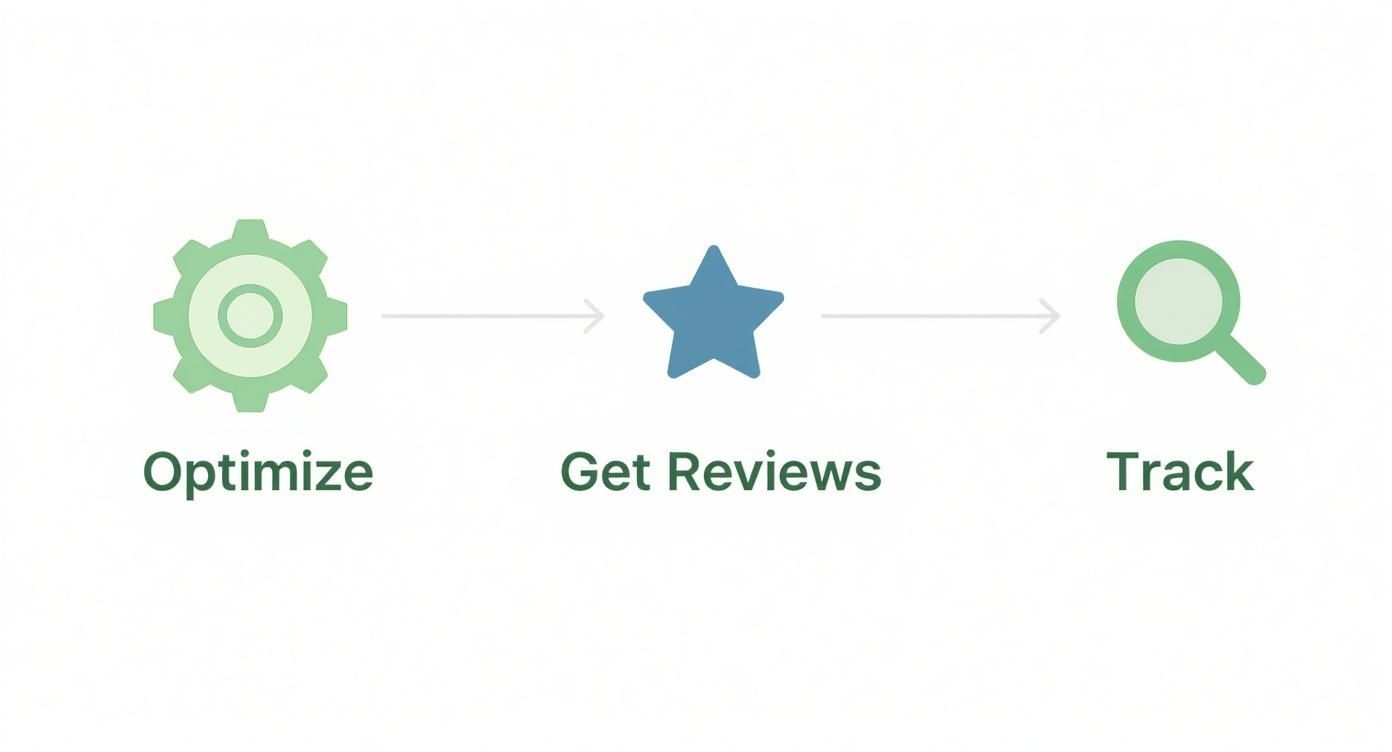
Once the site is live, the real work begins. The process shifts to optimising its technical performance, getting customer reviews to build trust, and tracking what’s working so you can double down on what brings in the jobs.
Launching and Measuring What Matters
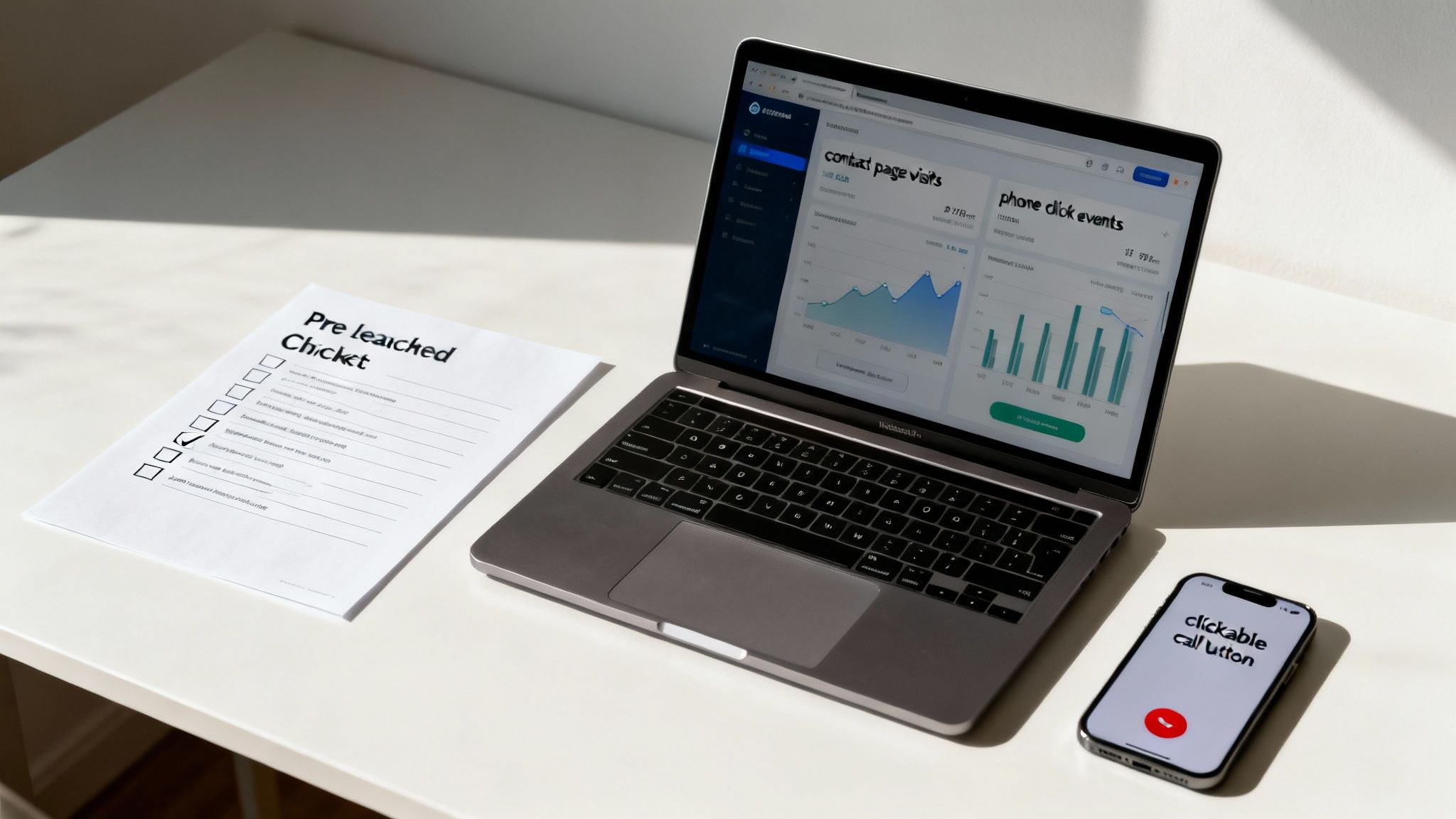
Getting your website live is a huge milestone, but it’s the starting line, not the finish. A smooth launch sets the stage for success, so a final check-up is essential before you flick the switch.
This isn’t about redesigning pages; it’s about making sure everything works as it should for your very first visitors. A quick pre-launch run-through helps you catch those small, frustrating glitches that could cost you a customer.
Your Pre-Launch Final Checks
Before you announce your new site to the world, take ten minutes to test the critical functions that turn a browser into a lead. It’s a simple step that prevents easy-to-fix errors from costing you business.
- Test every link and button: Click on all your menu items, internal links, and especially your calls-to-action. Make sure they all go to the right place.
- Submit a test form: Fill out your own contact form to confirm the email notification hits your inbox instantly. There’s nothing worse than a lead going into the void.
- Check it on your phone: This is non-negotiable. Grab your smartphone and navigate the entire site. Is it easy to read? Can you tap the phone number to call?
Measuring What Actually Matters
Once you're live, it’s time to see what’s working. It’s easy to get lost in a sea of data, but for a service business, only a few key numbers truly matter.
Setting up a free tool like Google Analytics 4 is a must. It shows you how people find your site and what they do once they arrive. Instead of obsessing over total visitor numbers, focus on the actions that actually lead to business.
Your website is a living tool, not a static brochure. Use real data to make informed decisions that drive growth, turning your online presence into your most valuable asset.
The most important metrics to watch are your conversion goals. For a service business, these are the things that make your phone ring:
- Contact Page Visits: How many people are interested enough to find out how to reach you?
- Phone Number Clicks: This tracks the number of mobile users who tapped your number to call you directly. It’s a pure, high-intent lead.
- Form Submissions: How many genuine quote requests or enquiries are coming through your site?
Tracking these specific actions tells you if your website is actually doing its job. Don’t forget that regular backups and software updates are also crucial for keeping your site secure and running smoothly, protecting the asset you’ve worked so hard to build.
Common Questions About Small Business Web Design
Getting a website built can feel like a minefield, especially when you’re already flat out running your business. We get it. Here are some no-fluff answers to the questions we hear most from Kiwi business owners.
How Long Does It Really Take to Build a Small Business Website?
It's the classic "how long is a piece of string?" question, but we can give you a pretty solid ballpark. For a typical 5-10 page website for a service business, you should plan for about 4 to 8 weeks from our first chat to the day it goes live.
This gives us enough time to do things properly—planning, design, writing the content, and thorough testing. Rushing the job is the fastest way to end up with a site that doesn’t actually get your phone to ring. It’s always worth taking the time to build the foundation right.
Will I Be Able to Update My Own Website?
Absolutely. That's one of the main reasons we build on WordPress. The last thing we want is for you to be stuck waiting on a developer for simple text changes.
Once your site is live, you'll be able to handle the day-to-day stuff yourself. Things like updating text, adding new photos to a gallery, or posting a new blog article are as easy as editing a Word document. No code required.
A great website shouldn't chain you to a developer for every minor change. The goal is to give you a powerful marketing asset that you are in control of, allowing you to adapt as your business grows.
Do I Actually Need a Blog for My Service Business?
You don't need one, but if you're serious about ranking on Google long-term, it's one of the best tools in your arsenal. A blog lets you answer your customers' common questions, show off your expertise, and target all those specific search terms people are typing into Google.
Think about it. A plumber in Auckland could write a post on "How to fix a leaking tap in an old villa" or "Signs your hot water cylinder is on its way out." This kind of content builds massive trust and helps you show up for valuable local searches, bringing in customers who are ready to hire you.
How Much Should I Expect to Pay for a Website?
Here in New Zealand, a professionally built web design for small businesses will generally cost somewhere between NZD 3,000 and NZD 8,000. This isn't just for a pretty design; it's an investment in a conversion-focused machine built to attract local customers and generate leads from day one.
Sure, you can find cheaper DIY options, but a professional site is designed to pay for itself many times over by consistently bringing in profitable jobs.
Ready to build a website that becomes your hardest-working employee? Four Stripes specialises in creating conversion-focused websites for service businesses across New Zealand. Let's build you a site that gets your phone ringing. https://fourstripes.co.nz