
A professional website is your digital shopfront. It’s the tool that turns a quick Google search into a genuine phone call from a new customer. For any New Zealand tradie or service business, a great site is a non-negotiable investment if you want to build trust, show off what you do, and get a steady stream of leads. It’s about moving from just being online to actually winning new work.
Why Your Service Business Needs a Website That Works
Let’s be blunt: a huge number of New Zealand service businesses are practically invisible online. Right now, potential customers are searching for the exact services you offer, but if you don't have a solid online presence, you're simply not in the running.
This guide is designed to cut through the noise. We'll show you why a professional website isn't a "nice-to-have" anymore—it's the engine of a modern service business. Think of it as your best salesperson, working 24/7 to build trust and put you ahead of competitors who are still relying on word-of-mouth alone.
Closing the Digital Gap in New Zealand
The opportunity for growth here in NZ is massive, especially for local operators. It's almost unbelievable, but recent research shows that over 47% of Kiwi businesses are still flying blind without a website.
According to the latest ‘.nz Consumers and Businesses Research Summary’ from InternetNZ, only 53% of businesses in New Zealand have a website. That number has barely budged since 2022, even though customers expect more and more from businesses online. You can read more about these findings on the state of NZ business websites.
This gap is a huge advantage for any service business ready to take action. By getting a quality website sorted, you instantly jump ahead of nearly half your competition. You’re not just getting online; you’re meeting customers exactly where they are—on Google.
A great website doesn't just list your services; it solves a customer's problem. It answers their questions, eases their worries, and makes it incredibly easy for them to pick up the phone and hire you.
It's More Than Just an Online Brochure
Thinking a website is just a digital pamphlet is an old-school mindset that will cost you jobs. A modern, well-built site is an active tool that works tirelessly for your business. It lets you:
- Build Credibility: A polished, professional site shows you’re a serious and trustworthy operator. It’s the perfect place to display your qualifications, photos of completed work, and glowing customer reviews.
- Generate Qualified Leads: With clear "call us now" buttons and simple contact forms, your website captures enquiries from potential customers, feeding your job pipeline even when you're on the tools.
- Educate Your Audience: You can use your site to explain your process, answer frequently asked questions, and prove you're the expert. This builds a customer's confidence in you before they've even spoken to you.
Of course, a website is just one piece of the puzzle. To really get ahead, service businesses also need to effectively manage their social media presence to connect with a wider audience. In this guide, we'll show you how to close that digital gap and turn online searches into paying customers, future-proofing your business for years to come.
Building Your Website Blueprint for Local Success
Before you even think about colours or fonts, know this: the best service websites are built on a rock-solid plan. A great service website design isn't just about looking sharp; it’s a machine meticulously engineered to get you more jobs. This is your blueprinting phase, where strategy always comes before style.
First up, you need to get brutally honest about who you’re actually talking to. Are you a sparky in Christchurch targeting homeowners with a blown fuse box who need help right now? Or are you a commercial cleaner in Auckland trying to land long-term contracts with office managers? Nailing your ideal customer dictates every single decision, from the slang you use to the photos you feature.
Without that clarity, you end up with a generic website that speaks to everyone and connects with no one. It's the difference between a laser-guided tool and a clumsy sledgehammer.
Defining Your Goals and Unique Edge
Once you know your audience, you need to define what a "win" actually looks like for your website. Forget vague goals like "get more business"—they're useless. We need to set clear, measurable targets that will drive the entire project.
What does a successful website actually do for a Kiwi tradie?
- Generate Leads: Get specific. Aim for something like, "Generate 10 qualified quote requests through the website per week."
- Build Authority: Show you're the local expert. Feature detailed case studies of jobs in your area or post helpful guides for the community.
- Streamline Your Day: Use your site to answer the same old questions you get on the phone a dozen times a day. This frees you up to do the actual work.
At the same time, you need to pinpoint what makes you different. Do you offer a 24/7 emergency call-out service when others don't? Are you the only one in town using eco-friendly materials? Your unique selling proposition (USP) is what makes you stand out from the other guy down the road, and it needs to be front and centre.
Your website's only job is to connect your unique solution to a customer's specific problem. This blueprinting stage is where you draw the map that shows them exactly how you'll do it.
Getting this planning right is a core part of any effective strategy for small business website design in NZ. It’s how you make sure your investment actually pays for itself.
This simple diagram shows the massive gap between businesses that customers can find online and those that are practically invisible.
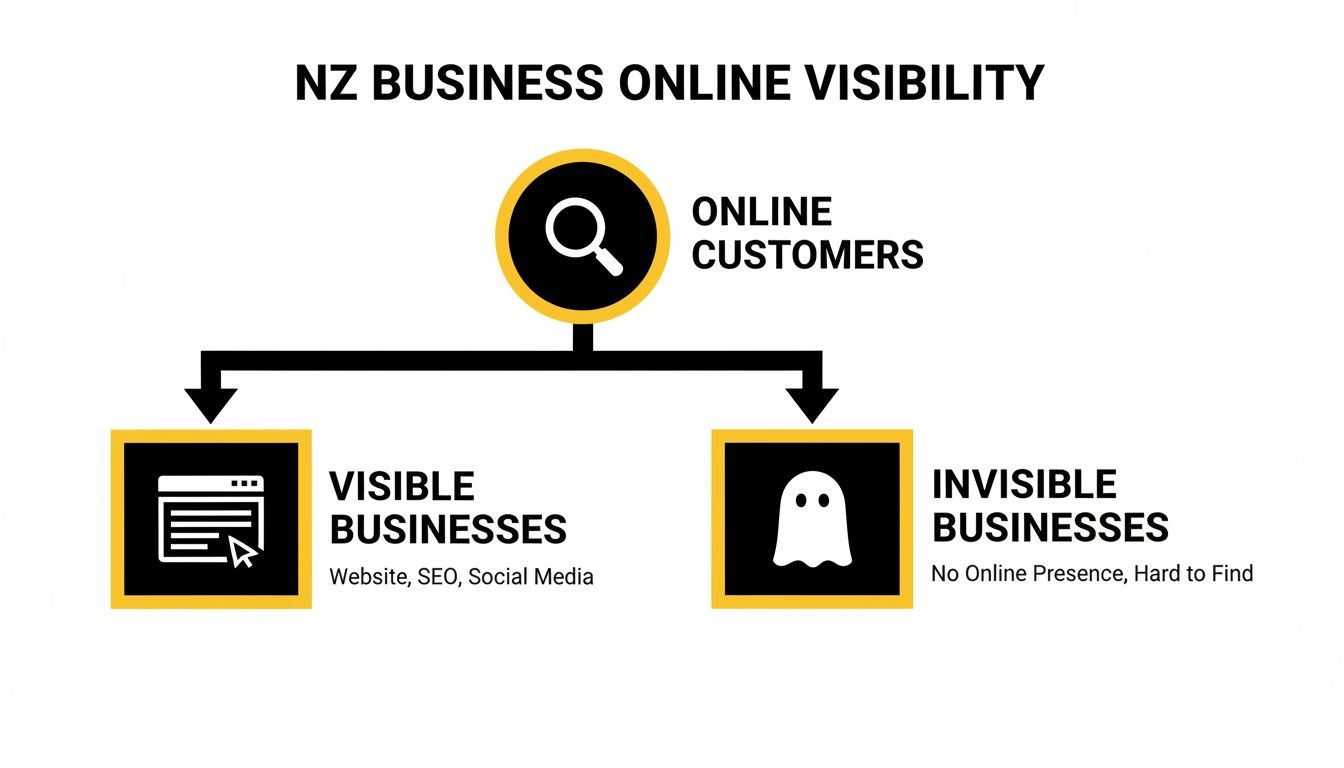
It’s a straightforward truth: a well-planned website moves your business from the "invisible" column to the "visible" one, where customers are actually looking.
Structuring Your Site for Users and Google
With your audience, goals, and USP sorted, it's time to map out your website's structure. A logical site map is critical for two reasons: it helps visitors find what they need without getting frustrated, and it helps Google understand your pages so it can rank you for local searches.
Think of your website like a well-organised van. Everything has its place, making it easy to grab the right tool for the job. A messy, confusing site is just like a cluttered van—customers will give up and call someone else.
The key to a good site map for any NZ service business is to keep it simple and laser-focused on getting the user to take action. This isn't about having a hundred pages; it's about having the right pages.
Here's a look at the essential pages every local service website needs to convert visitors into customers.
| Essential Pages for Your NZ Service Website | ||
|---|---|---|
| Page Type | Primary Goal | Must-Have Content Elements |
| Homepage | Instantly build trust and guide visitors to key information. | Your USP, clear call-to-action (CTA), social proof (reviews/testimonials), services overview, service areas. |
| About Us | Tell your story and show the real people behind the business. | Your personal story, team photos, company values, qualifications or certifications. |
| Service Pages | Detail each service to attract specific, high-intent customers. | A dedicated page for each core service (e.g., 'Hot Water Cylinder Repairs'). Include what's involved, benefits, and service-specific FAQs. |
| Service Areas Page | Clearly define your operational area for customers and Google. | A list or map of all suburbs and regions you cover. This is a goldmine for local SEO. |
| Contact Page | Make it incredibly easy for a potential customer to get in touch. | Phone number (clickable), email, contact form, physical address (if applicable), and business hours. |
This no-nonsense structure forms the backbone of a high-performing site. It creates a clear, easy path that takes a visitor from the moment they land on your site to the moment they pick up the phone.
Designing a Site That Builds Trust and Drives Action
Okay, you've got your blueprint sorted. Now for the fun part: designing a site that actually turns visitors into paying customers. The look and feel of your service website design needs to scream professionalism from the moment the page loads. For a Kiwi homeowner with a burst pipe, their first impression of your website is their first impression of your workmanship.
This is where you stop just listing what you do and start guiding people to contact you. It’s all about building confidence from that very first click.

Making a Professional First Impression
Think of your website's visual design as its uniform. A clean, professional colour scheme and fonts that are easy on the eye are non-negotiable. The brands you trust aren’t chaotic or hard to look at, right? A simple palette of two or three colours that make sense for your trade (like blues for plumbing or greens for landscaping) works a treat.
But the real game-changer is authentic imagery. Ditch the generic, American-looking stock photos. Kiwis can spot a fake a mile off, and it instantly erodes trust. You absolutely need to invest in high-quality photos of:
- Your actual team: Show the real people turning up to the job. It puts a face to the name and makes your business feel local and trustworthy.
- Your work: Before-and-after shots are pure gold. They’re undeniable proof of your skills and the quality you deliver.
- Your branded vans and gear: This shows you’re a serious, well-equipped operation, not just a man in a ute.
This kind of authenticity builds an immediate connection and proves you're a legit local business, not some faceless national franchise.
Crafting Calls-to-Action That Actually Work
One of the biggest blunders we see is a weak, passive Call-to-Action (CTA). A lonely "Contact Us" button is boring and does nothing to push a potential customer over the line.
Your CTAs need to be direct, punchy, and solve the customer's immediate problem.
Instead of a limp "Submit," try something with a bit of urgency and value:
- Get a Free, No-Obligation Quote
- Book Your On-Site Consultation Now
- Call Now for 24/7 Emergency Service
- Schedule Your Job Today
These work because they’re specific and tell the user exactly what happens next. You need to splash these buttons across your site—stick one in the header, pop them at the end of service descriptions, and make them unmissable on your contact page. Make it dead simple for people to take that next step.
Your only job is to remove every single bit of friction between a visitor’s problem and your solution. A strong, clear CTA is the bridge that connects the two.
Designing Lead Capture Forms People Will Actually Fill Out
So, they've clicked your killer CTA. The final hurdle is the contact form. The golden rule here is keep it simple. Honestly. Every extra field you add is another reason for someone to give up and go elsewhere. A long, complicated form feels like homework.
For that first enquiry, all you need is the bare essentials:
- Name
- Phone Number
- Email Address
- A message box for a few details
That’s it. You can get the rest of the info on the follow-up call. The form’s only job is to get that conversation started.
The need for a proper online presence is undeniable for Kiwi businesses. Over 90% of consumers now research online before they buy, so the demand for effective service website design is through the roof. Yet, staggeringly, research from InternetNZ shows that website adoption is stuck at just 53%, a figure that hasn't budged since 2022. This means a whopping 47% of firms don't have this essential tool, even while 61% admit it's vital for their business. You can read more about the state of web design in New Zealand and see the full findings. This gap is a massive opportunity for any tradie or service business ready to get serious about connecting with customers online.
Optimising for Local Search and Peak Performance
Let's be blunt: a beautiful website that nobody can find is just a very expensive online brochure. A high-performance site doesn't just look good; it's a lead-generating machine that actively hunts down local customers on Google. This is where your craftsmanship meets the people actively searching for it.
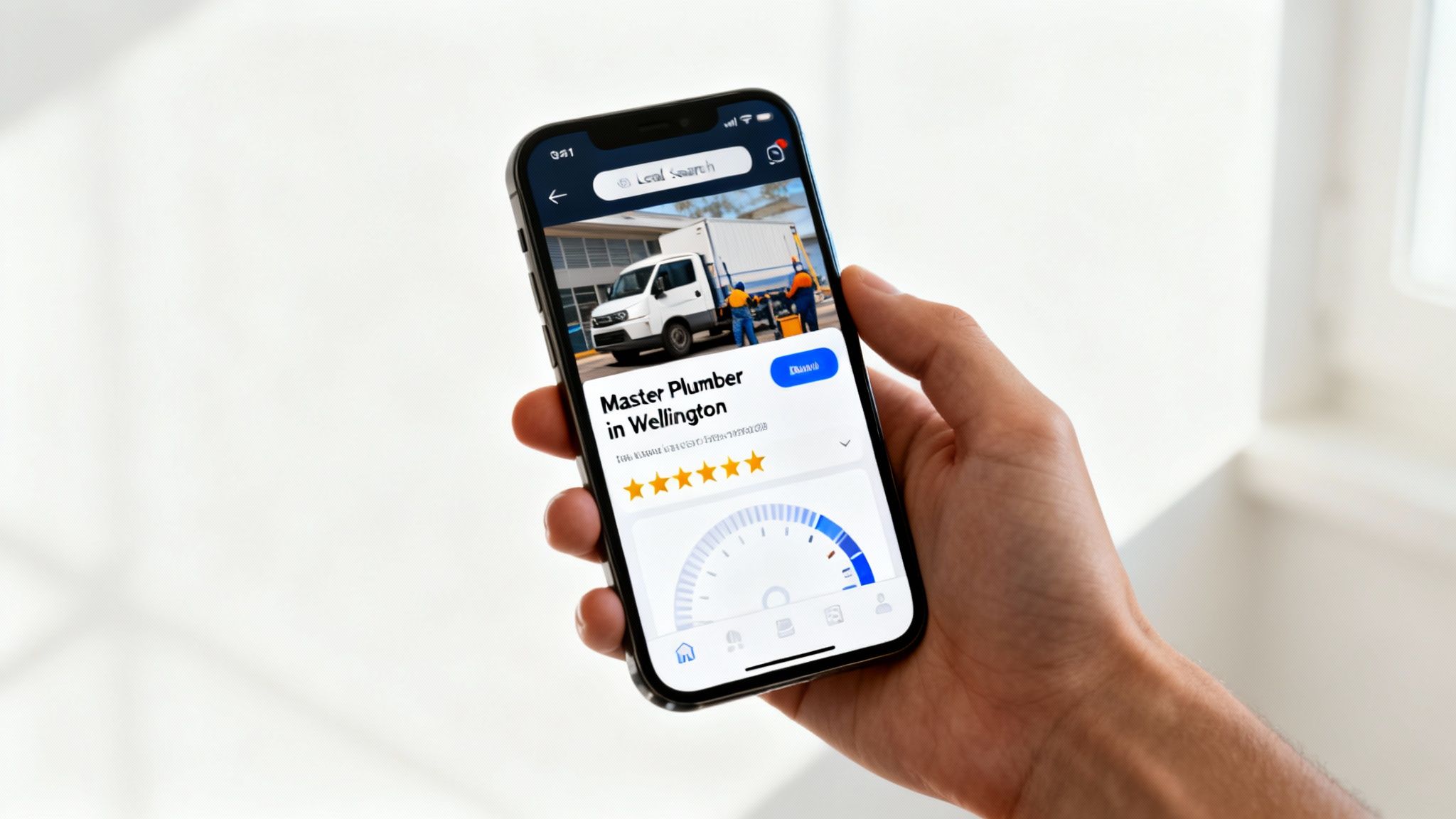
We're about to cover the engine room of your website: on-page SEO, mobile performance, site speed, and a secret weapon called Schema Markup that gives you a massive advantage in local search.
Mastering On-Page SEO for Your Service Pages
On-page SEO sounds technical, but it's really just about telling Google two things, loud and clear: what you do, and where you do it. For a Kiwi tradie, getting this right is how you show up when someone searches "plumber in Petone" or "electrician North Shore".
A massive part of this is the page's title tag. That's the blue, clickable headline in the Google search results. It has to be specific and local to get the click.
- Weak Title: "Plumbing Services | ABC Plumbing"
- Strong Title: "Master Plumber Wellington | Emergency Hot Water Repairs"
See the difference? The second one screams to a potential customer in Wellington that you're local, professional, and can fix their urgent problem right now. The same thinking applies to all your headings (H1, H2) and the actual text on your pages.
To really get ahead of the competition, you need a solid grasp of comprehensive local SEO strategies. If you want to go even deeper on winning your local patch, our guide to local SEO for service businesses has tactics built specifically for tradies in NZ.
A Mobile-First Design Is Non-Negotiable
The vast majority of your customers find you on their phone. They're often standing on-site, in their kitchen with a busted pipe, or in their driveway needing a quote. Your website must work perfectly on that small screen.
This isn't about being 'mobile-friendly' anymore; you have to be mobile-first. That means the site is designed for a phone from the ground up, not squashed down from a desktop version as an afterthought.
A mobile-first approach means the most important stuff—your phone number, your services, and a massive 'Call Now' button—is the first thing they see. If a customer has to pinch and zoom to find how to contact you, they've already called your competitor.
Key parts of a winning mobile design include:
- Thumb-Friendly Buttons: Big, easy-to-tap buttons for your key actions.
- Simple Navigation: A clean menu that gets people where they need to go in one or two taps.
- Click-to-Call Numbers: Your phone number should be a link. One tap and their phone is dialling you.
Google also rewards mobile-first sites with better rankings, so a clunky mobile experience is actively costing you jobs.
Turbocharging Your Website Speed
Site speed isn't just a nice-to-have; it's a conversion killer. Study after study shows that if your site takes longer than three seconds to load, more than half of your visitors will give up and leave. That's a lead lost to a competitor just because your site was too slow.
A few things can slow a site down, but these are the biggest culprits you can fix today:
- Compress Your Images: You need great photos of your work, but they kill your load speed if they're too big. Large image files are the #1 cause of slow websites. Use a tool to shrink the file size before you upload them.
- Get Good NZ Hosting: Where your website lives matters. Hosting your site on servers in or near New Zealand makes a huge difference to how quickly it loads for your local customers.
- Keep It Simple: All those flashy animations and complex plugins might look cool, but they often slow things to a crawl. A clean, simple design is almost always faster and gets you more calls.
Demystifying Schema Markup for Local Businesses
Right, last one. Schema Markup sounds complicated, but it's basically a secret language you add to your website's code to help Google properly understand your business. For a local service business, this is pure gold.
Using Local Business schema, you can spoon-feed Google critical information like:
- Your business name, address, and phone number (NAP).
- Your opening hours.
- The specific suburbs and areas you service.
- Your customer ratings and reviews.
When Google knows this for sure, it can show it off directly in the search results in what's called a "rich snippet." This makes your listing bigger, builds instant trust, and can even answer a customer's question before they click. It's one of the most powerful ways to stand out and prove you're the right local expert for the job.
Choosing Your Hosting and Launching with Confidence
Getting your website live can feel like the final, massive hurdle. But it doesn't have to be. Your website's hosting is just its home on the internet, and picking the right one is a make-or-break step in your service website design journey. It has a direct say in your site's speed, security, and the first impression you make on potential Kiwi customers.
Think of it like choosing between a shared flat and your own place. Shared hosting is the cheap option because your website shares a server (and all its horsepower) with hundreds of other sites. It can be an okay starting point for a brand-new business, but if another site on your server suddenly gets a massive spike in traffic, yours can slow to a crawl.
Managed hosting, on the other hand, is like having your own dedicated space. Sure, it costs a bit more, but the provider handles all the tricky technical stuff—security scans, software updates, daily backups—and you get resources reserved just for you. This translates to faster speeds and rock-solid reliability, which is exactly what you need when you’re trying to win new work.
Why Local Hosting Matters for NZ Businesses
When you're looking at hosting providers, the physical location of their servers is a genuine game-changer. If your customers are in Wellington but your website is hosted on a server in Texas, the data has to travel halfway around the world just to load a single page. That delay, called latency, can add precious seconds to your load time.
Having your site hosted on servers in or near New Zealand slashes that travel time. The result is a much snappier, more responsive website for your local audience, which keeps them on the page and boosts your Google rankings. Faster sites mean happier customers and more calls. Simple as that.
The demand for solid local hosting is growing right alongside great service website design. New Zealand's Data Processing and Web Hosting Services industry has ballooned into a $939.2 million market, growing by 6.9% each year for the last five years. This boom shows just how fast Kiwi businesses are getting online, with hundreds of companies now in this space. You can read more about the growth of NZ's web hosting industry to see the trend for yourself.
For a deeper dive into your options, check out our guide on choosing the best web hosting in NZ for your service business.
A slow website is the digital equivalent of an unanswered phone call. Investing in quality, local hosting is one of the easiest ways to ensure you're always open for business and ready to serve your customers.
Your Pre-Launch Final Checks
Before you hit that big "go live" button, running through a final checklist will make sure your launch is smooth and professional. It’s no different from doing a final walkthrough on a job site—you’re spotting and fixing the little things before the client ever sees them. This small bit of effort now prevents embarrassing mistakes and ensures your site starts pulling its weight from day one.
Here’s a simple but absolutely essential checklist to tick off:
- Proofread Every Single Word: Go through every page, from the homepage right down to the little confirmation message on your contact form. Typos and bad grammar look unprofessional and can kill trust instantly.
- Test Your Contact Forms: This is a big one. Fill out and submit every form on your website yourself. Do you actually get the email notification? Does the user see a "thank you" message? A broken form is a lost lead.
- Check All Links: Click every button, every internal link, and every social media icon. Make sure nothing is broken and everything points to the right place.
- Confirm Mobile Responsiveness: Grab your phone and give your own site a thorough going-over. How does it actually look and feel on a small screen? Is the text easy to read? Can you tap the buttons without zooming in?
- Set Up Google Analytics: You can't improve what you don't measure. Get the Google Analytics tracking code installed from the very start. It will give you priceless data on who is visiting your site and what they're doing.
- Submit Your Sitemap to Google: A sitemap is basically a road map of your website for search engines. Submitting it through Google Search Console helps Google find and index all your important pages much faster, getting you in front of customers sooner.
Got Questions? We’ve Got Answers
Even after laying out the whole game plan, it's normal to have a few questions rattling around before you pull the trigger on a new service website design. Getting it right is a big deal, and you want to be damn sure it's a smart investment for your business.
We get it. Here are the most common questions we hear from Kiwi tradies and service business owners, with straight-up, no-fluff answers to give you the confidence to move forward.
How Much Does a Professional Website Actually Cost in NZ?
Right, the million-dollar question—or hopefully not! The honest answer is, it depends. Think of it like buying a new ute. You can get a cheap runabout to get you from A to B, or you can get a fully kitted-out workhorse built for performance. They both do a job, but a very different one.
For a quality, professionally built website for a New Zealand service business, you should realistically budget somewhere between $3,000 and $10,000.
- At the lower end of that range, you’re looking at a solid, well-built site based on a proven layout. It’ll have all the essentials: a homepage, services, about, and contact page. This is a perfect starting point if you're a new business and just need to get a professional presence online, fast.
- Towards the higher end, you're investing in more custom design work, more pages for specific services or suburbs you want to target, and maybe some advanced features like an online booking system or detailed project galleries.
A word of warning: be very wary of those ultra-cheap offers that sound too good to be true. They almost always are. You’ll likely end up with a slow, clunky site that Google ignores, costing you far more in lost jobs down the line. A good website is an investment in your lead pipeline, not just an online business card.
How Long Does It Take to Build a New Website?
We know you want to get cracking, but a good build takes time. A typical service website design project for a small NZ business takes anywhere from four to eight weeks, from our first chat to launch day.
Here’s a rough breakdown of how that plays out:
- Discovery & Strategy (1-2 weeks): This is where we get our heads around your business, your customers, and your goals. We'll map out the site structure and figure out the plan of attack.
- Design & Development (2-4 weeks): This is where the magic happens. We take the plan and start building, bringing the design to life and coding everything up.
- Content & Feedback (1-2 weeks): You’ll supply the text and photos, and we'll plug it all in. Then we’ll go through a round or two of tweaks to get everything spot on.
- Testing & Launch (1 week): Before we go live, we give it a final once-over. We test every form, check every link, and make sure it looks great on a phone. Then, we hit the big green button.
Honestly, the biggest thing that keeps a project on track is you. Quick feedback and getting us your content promptly is the secret sauce to a smooth, fast build.
What Is Involved in Website Maintenance After Launch?
Getting your website live isn't the finish line; it’s the starting line. Just like your work van needs a regular service and a WOF, your website needs ongoing care to keep it running smoothly and securely.
A website is a living business asset, not a static document. Neglecting its maintenance is like ignoring a warning light on your dashboard—it will eventually lead to a breakdown, usually at the worst possible time.
Website maintenance really boils down to three key things:
- Technical Health: This means keeping all the software updated (like WordPress and its plugins), running security scans to keep the bad guys out, and taking regular backups just in case something goes wrong.
- Content Updates: You might want to add photos from a recent job, chuck up a new 5-star review, or change your contact details. Keeping your site's content fresh tells Google (and customers) that you're active and open for business.
- Performance Checks: This is about keeping an eye on things like site speed, checking for broken links, and looking at your Google Analytics to see what's working and where we can make improvements.
Most businesses find it easier to sign up for a monthly care plan with their web designer to handle all this. It’s peace of mind, ensuring your investment keeps bringing in jobs for years to come.
Ready to stop missing out on local jobs and get a website that actually gets the phone ringing? The team at Four Stripes specialises in building high-converting websites for Kiwi service businesses just like yours. Our First Page, First Call system is designed to turn online searches into paying customers. Get in touch with us today for a no-obligation chat about your business goals.