
The first question every business owner asks is always the same: how much is this going to cost me?
While there is no single price tag for Google Ads, a normal UK service business can expect to spend anywhere from £500 to over £2,000 per month. But the most important thing to remember is that you are always in complete control of your spending.
Setting a Realistic Google Ads Budget
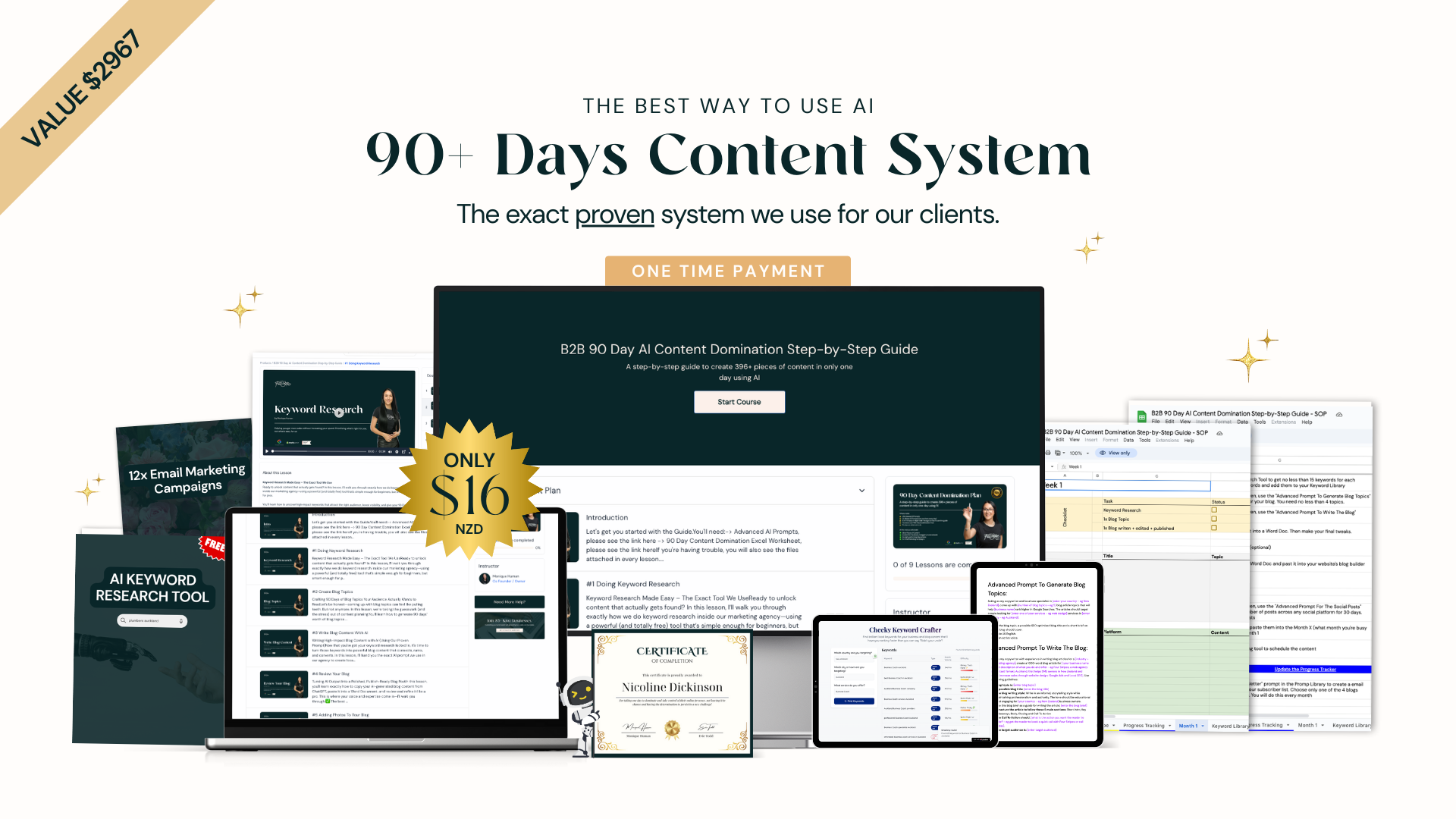
Think of your Google Ads budget like filling up the tank in your van for the week. You decide exactly how much to put in.
Put in too little, and you will not reach enough jobs to make it worthwhile. Spend too much without a clear plan, and you are just burning fuel. The goal is to find that sweet spot where you are spending just enough to keep the phone ringing with new customer enquiries.
You have total control over your daily and monthly ad spend. If you set a daily budget of £20, Google will not spend more than your monthly limit (which is roughly £20 x 30.4 days). This means businesses of any size can get started without breaking the bank. Your budget directly affects how many people see your ads and, in the end, how many potential customers click through to your website or call you.
What Does a Normal Budget Look Like for a Tradie?
For tradespeople like plumbers, electricians, or builders in the UK, a budget usually falls into one of three levels. Each level offers a different chance for getting leads and winning jobs.
- Small Starter Budget (£500 – £800 per month): This is a great starting point for a solo tradie focusing on a specific local area, like a single town or a few suburbs. It lets you test the waters and start getting a small but steady stream of enquiries.
- Medium Growth Budget (£800 – £1,500 per month): With this kind of budget, you can start targeting a wider area or go after more competitive keywords. This is ideal for a growing business looking to become the go-to service in its region and consistently bring in new work.
- Larger Dominator Budget (£1,500+ per month): This level of spending is for businesses aiming to rule a larger city or multiple service areas. It allows for more aggressive advertising to capture a huge chunk of the market and keep your entire team busy.
To give you a clearer picture, here are some practical examples of what different budgets can look like for UK tradies.
Example Monthly Google Ads Budgets for UK Tradespeople
| Business Type | Suggested Monthly Ad Spend | Potential Outcome |
|---|---|---|
| Solo Plumber | £500 – £750 | A steady flow of local emergency call-out jobs and boiler service enquiries. |
| Small Electrical Firm | £750 – £1,200 | Consistent leads for both residential and smaller commercial jobs across a wider region. |
| Growing Building Company | £1,200 – £2,000+ | A strong pipeline of higher-value extension, loft conversion, and renovation projects. |
Remember, these are just starting points. The right budget for you depends entirely on your goals, your service area, and how quickly you want to grow.
The most important part of Google Ads is not the amount you spend, but the return you get. A well-managed £500 campaign that brings in £2,000 of work is far better than a poorly run £2,000 campaign that only generates a few dead-end calls.
Your location plays a huge role in costs. For example, service-based businesses in New Zealand often pay between NZD 1.00 to NZD 3.00 per click for certain keywords—much lower than in very competitive markets like London or New York. This just goes to show why a well-managed campaign is vital for making your budget stretch further.
Understanding how to manage these costs is vital, and a good starting point is learning about the different Google Ad fees you might encounter.
How the Google Ads Auction Really Works
It is a common myth that winning on Google Ads just means throwing more money at it than your competitors. Thankfully, that is not how it works. The truth is much smarter, and it is good news for small businesses.
Google runs a lightning-fast auction every time someone searches, but the winner is not simply the highest bidder. Instead, Google rewards businesses that give searchers what they want. In the world of Google Ads, this reputation is called your Quality Score.
Your ad's success all comes down to how your bid (the most you are willing to pay for a click) and your Quality Score work together. A strong Quality Score can mean you pay less than a competitor but still rank higher than them. That is the secret sauce.
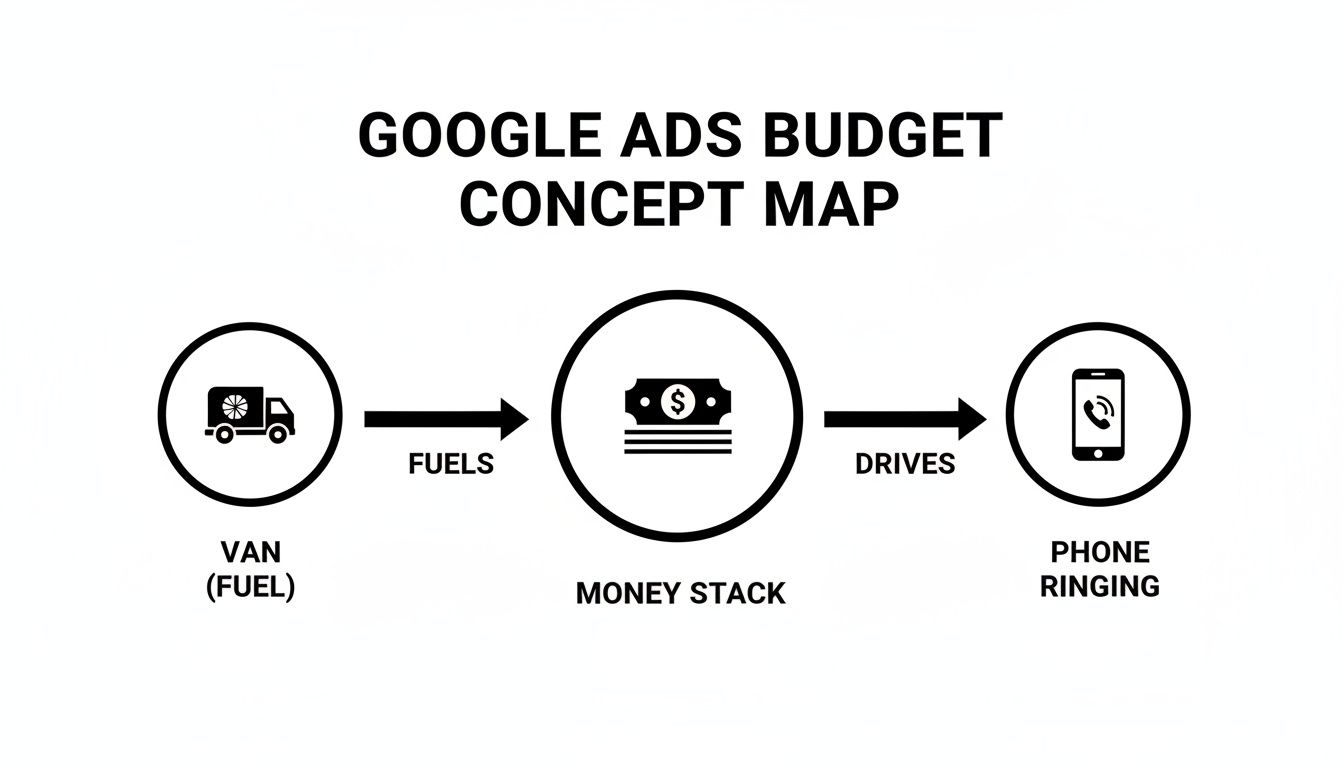
Think of your ad budget as the fuel for your van—get it right, and it drives jobs that keep the phone ringing.
What is Quality Score?
Think of Quality Score as Google's report card for your ad. It is a rating from 1 to 10 that tells Google how helpful and relevant your ad, keywords, and landing page are to the person searching. A higher score is always better.
Google looks at three main things to figure out your score:
- Expected Click-Through Rate (CTR): Based on past performance, how likely is someone to click your ad when they see it?
- Ad Relevance: Does your ad actually make sense for the keyword someone just typed in? A search for "emergency plumber" should see an ad for emergency plumbing, not kitchen renovations.
- Landing Page Experience: When someone clicks your ad, does the page they land on follow through on the promise? Is it easy to use, relevant, and does it help them solve their problem?
A high Quality Score is basically Google's stamp of approval. It signals that you are giving searchers a great experience, which means Google is more likely to show your ad—often for a lower price.
A better score directly lowers how much you actually pay per click. For a tradie in a competitive spot like Auckland, two electricians could bid the exact same amount, but the one with the higher Quality Score will consistently pay less for each lead.
Ad Rank: The Winning Formula
So, how does Google pick the winner? It calculates something called Ad Rank for every single advertiser in the auction.
The formula is surprisingly simple:
Ad Rank = Your Maximum Bid x Your Quality Score
The advertiser with the highest Ad Rank gets the top spot. This is why you can outrank bigger competitors even with a smaller budget.
Let's say your bid is $4, but your Quality Score is a perfect 10/10. Your Ad Rank is 40. A competitor might bid higher at $6, but if their ad and landing page are average, their Quality Score might only be a 6/10. Their Ad Rank is just 36.
You win. You get the better position, and you will likely pay less for the click. Understanding this is the key to running a profitable PPC campaign in New Zealand.
The Four Main Factors That Change Your Ad Costs
Ever wondered why a click on one of your ads might cost 50p, while another costs £10? Your Google Ads pricing is not random—it is shaped by a few key ingredients. Once you understand them, you can start to see where you can pull the levers and make your budget work a whole lot harder.
There are four main things that will change how much you pay for each click: your industry, the location you target, the keywords you choose, and the overall quality of your campaign. Getting a handle on these is the first step to spending smarter.
Your Industry and Competition
Without a doubt, the single biggest factor affecting your ad costs is your industry. Some services are simply worth more per job, which means businesses are willing to pay a lot more to get a new customer. This drives up the competition and the price of a click.
For example, a lawyer handling a commercial property sale might make thousands from one new client. They can easily afford to bid £15 or more for a single click. On the other hand, a local gardener whose average job is worth £80 will have a much smaller budget and will likely pay far less per click. The higher the value of a customer, the higher the ad costs. Simple as that.
The Location You Target
Where you run your ads makes a massive difference to the price you will pay. Advertising in a big, competitive city like London or Manchester is always more expensive than targeting a smaller town or specific suburb. Why? More businesses are fighting for the same customers in a smaller space.
A plumber targeting "emergency plumber central London" will face intense competition from hundreds of other firms, pushing the click price through the roof. But a plumber in a smaller town like Bury targeting "fix leaky tap in Ramsbottom" will have far fewer competitors and will pay a much lower price for that same click.
By focusing your ads on specific, less competitive local areas where you want to work, you can often get more leads for your money instead of battling it out in expensive city centres.
The Keywords You Choose
Not all keywords are created equal. The words and phrases you bid on have a direct impact on your costs. Keywords that show someone is ready to buy right now (like "emergency electrician near me") are very valuable and, therefore, more expensive.
On the other hand, keywords that suggest someone is still in the research phase (like "how to rewire a house") are usually much cheaper. While these might not lead to an immediate job, they can be a smart way to get in front of future customers early on. The key is to find a healthy mix of high-intent and informational keywords that fit your budget and business goals.
Your Campaign Quality Score
Finally, the quality of your campaign plays a huge part in what you pay. As we covered, Google rewards advertisers who create a good experience for users. A high Quality Score acts like a discount on your ad costs—it is your secret weapon.
A well-organised campaign with relevant ad copy and a genuinely helpful landing page will earn a higher score. This means you can actually pay less than a competitor but still rank above them in the search results. This is the most powerful tool you have to control your Google Ads pricing, because it is the one factor that is completely in your hands.
Choosing the Best Bidding Strategy for Your Business
Okay, so you get how the Google Ads auction works. The next vital piece of the puzzle is telling Google exactly how you want it to spend your money. This is your bidding strategy, and it is one of the most important decisions you will make inside your account.
Do not let the jargon throw you off. For a service business, it really just boils down to one simple choice.
Think of it like giving instructions to a courier. You could tell them to make as many deliveries as possible, no matter the package value. Or, you could tell them to only deliver the high-value packages. Choosing the right instruction is the key to getting the results you actually want—which for most tradies, means more phone calls and real job enquiries.
Automated Bidding Strategies Explained
Back in the day, we had to manually set a bid for every single keyword. It was a massive headache. Thankfully, Google’s smart tech can now do all that heavy lifting for you with automated bidding. It uses machine learning to chase the best results possible within your budget.
For a service business, there are really only two automated strategies you need to know about. Each one gives Google a different main goal.
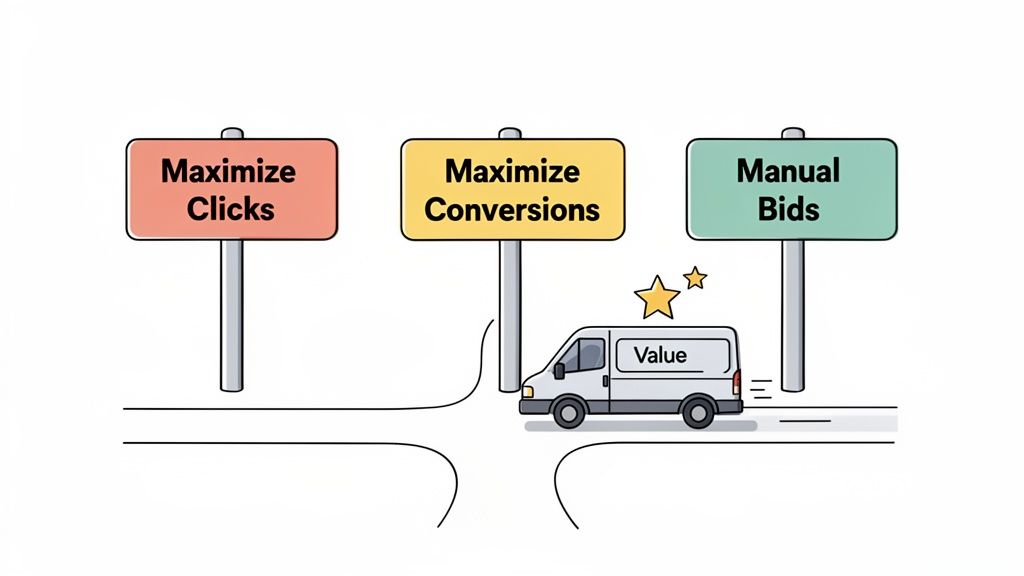
- Maximise Clicks: This tells Google, "Get me as many website clicks as you can for my daily budget." The focus here is purely on traffic volume.
- Maximise Conversions: This one tells Google, "Get me the most enquiries (conversions) you can for my budget." This strategy focuses on the quality of the lead.
A "conversion," by the way, is just any valuable action someone takes on your site. This could be filling out your contact form, clicking the "call now" button on their phone, or downloading your price guide. You have to set these up first, but it is absolutely worth the effort.
Choosing a bidding strategy is not just a technical setting; it is the core instruction you give Google. Maximise Clicks chases website traffic, while Maximise Conversions chases actual job leads.
Which Bidding Strategy Is Right for You?
For pretty much every service business we have ever worked with, the answer is Maximise Conversions. It is a no-brainer.
While getting a flood of clicks might feel good and look impressive on a report, clicks do not pay the bills. Clicks from people who have no intention of hiring you are just a waste of your hard-earned cash.
Let's say you are a plumber in London. If you use the Maximise Clicks strategy, Google might get you clicks from people searching for "DIY plumbing tips." These people are not looking to hire anyone; they are looking to avoid it! Every one of those clicks is money straight down the drain.
On the other hand, the Maximise Conversions strategy learns what kind of person actually fills out your contact form or calls you. It then goes out and actively finds more people just like them—people searching for "emergency plumber London" who are ready to book a job right now.
You might get fewer clicks overall, but the ones you do get are far more likely to turn into paying customers. Starting with a sharp focus on conversions from day one is the smartest way to make your advertising budget profitable.
How to Figure Out Your Cost Per Lead
Spending money on ads is one thing. Knowing if that money is actually making you a profit is what really counts. This is where we stop thinking about ad budgets and start connecting the dots to real business results. The secret is figuring out your Cost Per Lead (CPL).
This is not complicated agency maths; it is a simple calculation any business owner can do. But it completely changes how you see Google Ads pricing, turning a monthly expense into a measurable investment. It finally answers the only question that matters: 'Is this advertising making me money?'
A Simple Example for an Electrician
Let's run through a quick example. Imagine you are a sparky in Bristol and you decide to put £50 into Google Ads for the day to see what happens. Here is how you work out the true cost of getting a new job enquiry.
First up, let's say your £50 budget gets you 20 clicks from people in your area searching for an electrician.
- To find your Cost Per Click (CPC): Just divide your total spend by the number of clicks you got.
- Calculation: £50 ÷ 20 clicks = £2.50 per click.
Easy. Every person who clicked your ad cost you £2.50. But clicks do not pay the bills—phone calls and job enquiries do. That brings us to the next bit.
Your Cost Per Lead is the true measure of your campaign's success. It tells you exactly how much you have to spend on advertising to get one potential customer to contact you.
Let's stick with our Bristol sparky. Out of those 20 clicks, two people pick up the phone to book a job. That is a 10% conversion rate (two calls from 20 clicks), which is a solid result.
To make this even clearer, here is a simple table that breaks down the calculation from start to finish.
Simple Cost Per Lead Calculation Example
| Step | Metric | Example Calculation | Result |
|---|---|---|---|
| 1 | Total Ad Spend | You decide to spend £50. | £50.00 |
| 2 | Total Clicks | Your ads generate 20 clicks. | 20 Clicks |
| 3 | Cost Per Click (CPC) | £50 Spend ÷ 20 Clicks | £2.50 |
| 4 | Total Leads | You get 2 phone calls. | 2 Leads |
| 5 | Cost Per Lead (CPL) | £50 Spend ÷ 2 Leads | £25.00 |
This step-by-step process takes you from a vague ad budget to a concrete number you can actually use to make smart business decisions.
Calculating Your Final Cost Per Lead
Now we can pull it all together for the final, most important number. You spent £50 and got two real leads out of it.
- To find your Cost Per Lead (CPL): Divide your total ad spend by the number of leads you received.
- Calculation: £50 ÷ 2 leads = £25 per lead.
There you have it. It cost you £25 in advertising to make your phone ring with a new job opportunity. If the average job you land from these leads is worth £300, then spending £25 to get that work is a fantastic return on your investment.
This simple bit of maths is very powerful. It strips away all the jargon and shows you exactly how your ad spend turns into potential revenue, taking the guesswork out of your marketing. For a deeper dive into managing your expenses, understanding the full breakdown of Google sponsored ads cost can give you even more clarity and control.
Smart Ways to Spend Less on Google Ads
Getting your head around Google Ads pricing is the first step, but making your money work hard is what really counts. It is not about how much you spend; it is about how smart you spend it.
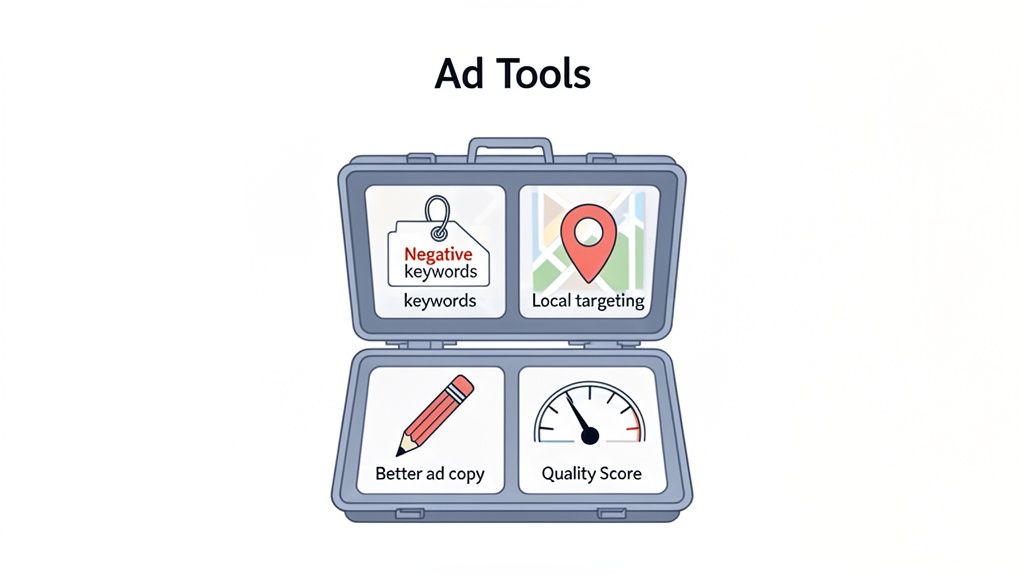
With a few simple tweaks, you can stretch your budget further, bring your costs down, and get more phone calls from the customers you actually want. Working smarter, not harder, on Google Ads usually boils down to improving your Quality Score. Small, strategic changes can lead to big savings and a much healthier stream of leads.
Use Negative Keywords to Stop Wasting Money
One of the quickest ways to stop burning cash is to tell Google what not to show your ads for. You do this by adding negative keywords. Think of it as putting up a "no entry" sign for irrelevant searches that are costing you money.
For example, a plumber in Leeds who does emergency repairs does not want to pay for clicks from people searching for "free plumbing courses" or "plumbing job vacancies." By adding "free," "course," and "jobs" to your negative keyword list, you instantly stop your budget from being wasted on clicks that will never turn into work.
Focus Your Ads on a Specific Local Area
Do not try to advertise to an entire city if you only serve a handful of suburbs. Geotargeting lets you show your ads only to people in the specific areas where your ideal customers live and work. This makes your budget very efficient.
Instead of a broad campaign across all of Manchester, a builder could focus their budget just on Didsbury and Chorlton. This means every pound spent is aimed at homeowners in their direct service area, which dramatically lowers the cost of finding a relevant lead and boosts the chances of winning the job.
The goal is to spend your money talking to potential customers, not the entire internet. Tightening your location targeting is a simple way to make every click count for more.
Write Better Ad Copy
Your ad is often the first impression a customer has of your business. Writing clear, compelling ad copy that speaks directly to their problem is absolutely vital for attracting the right kind of clicks and improving your Quality Score.
- Be Specific: Do not just say "Plumbing Services." Say "24/7 Emergency Plumber in Birmingham. Blocked Drains Cleared Fast."
- Include a Call to Action: Tell people what you want them to do next. "Call Now for a Free Quote" or "Book Your Service Online" works wonders.
- Highlight What Makes You Different: Mention things that build trust, like "Family-Run Business," "10-Year Guarantee," or "No Call-Out Fee."
It is also worth looking into modern tools to get an edge. For instance, learning about creating AI video ads that convert can help you create more effective visuals and make your budget go even further.
Common Questions About Google Ads Pricing
Still got a few things on your mind about Google Ads pricing? Let's clear up some of the most common questions we hear from business owners before they take the plunge.
What's the Minimum I Can Spend?
Technically, you can tell Google you only want to spend £1 per day. But let's be realistic – that is not going to get the phone ringing.
For a small service business just dipping its toes in the water, a more sensible starting point is around £15-£20 per day. This works out to about £450-£600 a month and gives you enough budget to actually start gathering some data and see a few leads trickle in.
How Quickly Will I See Results?
This is one of the best things about Google Ads: it is fast. Once your campaign is live, you can see traffic hitting your website and potential leads coming through within a matter of hours.
But seeing a profitable return is a different story. That takes a bit more patience. You will usually need one to three months to collect enough data to properly fine-tune your campaigns, trim the fat, and figure out what is genuinely bringing in the jobs.
Should I Manage the Ads Myself?
You absolutely can. Google Ads is built so that business owners can run their own campaigns, and it is a decent option if your budget is tight and you have a fair bit of time to get your head around it all.
However, if your time is better spent on the tools or managing your team, bringing in a professional is a smart move. An expert can often get you a much better return on your ad spend, enough to cover their fee and then some.
It really boils down to a simple trade-off: Do you have more time or more money? If you have got the time to learn, DIY is doable. If you want better results, faster, then hiring an expert is almost always the right call.
At the end of the day, getting a handle on Google Ads pricing gives you the power to make sharp decisions for your business—whether you decide to run it yourself or get a pro to make your phone ring off the hook.
Ready to turn your ad spend into actual jobs? Four Stripes specialises in building high-performance Google Ads campaigns for Kiwi service businesses that get the phone ringing. Find out how we can help you dominate your local area at https://fourstripes.co.nz.